There’s something I’ve learned after years of working closely with law firms on their operations: the greatest constraint on legal productivity is not talent, but the volume of administrative work placed on highly trained professionals. How many hours each week are absorbed by preparing documents, organizing files, summarizing transcripts, and updating systems? And how many of those hours could be handled by something that neither bills by the hour nor fatigues? That question led me to examine Claude Cowork in depth, not as a conversational tool, but as a true execution layer: an agent capable of carrying complex, multi-step work from instruction to completion, directly on your computer, within your files, and across your existing systems. What emerged from that evaluation is not simply another A.I. product, but a meaningful shift in how legal work can be structured and delivered for those operating in environments defined by documents, processes, and coordination.
Favorite law firm use cases: Contract review and drafting, automatic case file organization, tracking active matters, preparing client meetings, and automating workflows between documents, email, and case management systems.
Features & Functionality
If you have used Claude at all, then you already know about the powerful chat feature. Cowork by Claude is a distinctly different product. Cowork doesn’t respond to messages. It executes tasks. That distinction may sound small, but it changes everything.
In a traditional chat, you ask a question and receive an answer. With Cowork, you define an outcome. Claude builds a plan, breaks it into steps, accesses your files, navigates connected systems, and ultimately delivers completed, usable work. You define the objective, and Cowork handles the execution.
This is where the difference stops being theoretical and becomes tangible. Instead of asking Cowork to summarize a single document, I connected it directly to a Google Drive matter folder containing four separate case files:
• Anderson_v_Northstar_Client_Emails
• Anderson_v_Northstar_Complaint
• Anderson_v_Northstar_Deposition_Summaries
• Anderson_v_Northstar_Internal_Notes
I then gave it a single instruction.
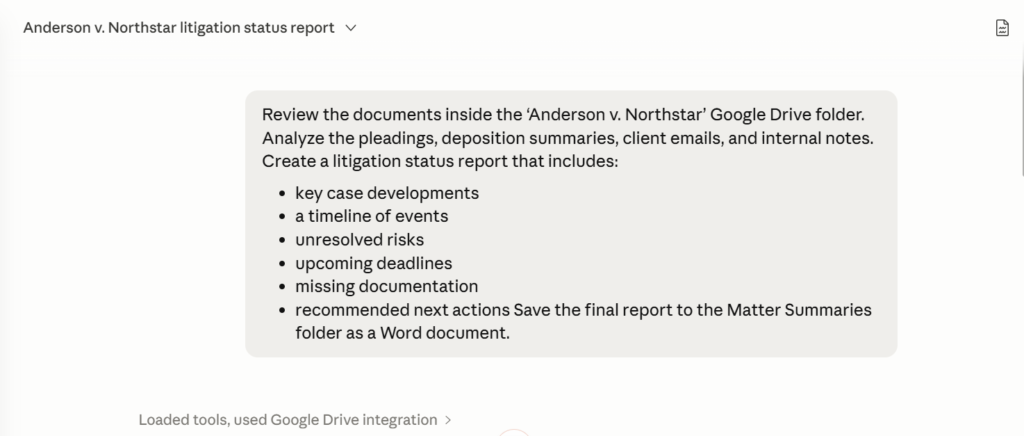
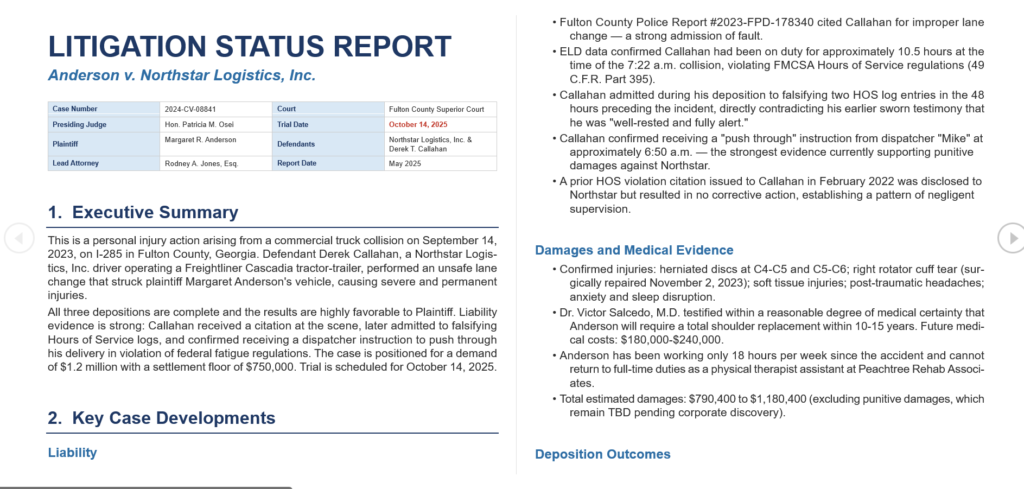
The request was not to “analyze documents,” but to review the entire matter folder, identify key developments, organize risks, extract deadlines, and generate a structured litigation status report inside a newly created Matter Summaries directory.
From that point on, Cowork operated less like a chatbot and more like a legal operations assistant. It independently navigated the Google Drive folder, reviewed pleadings, deposition summaries, client communications, and internal legal strategy notes, then decomposed the work into multiple execution steps running in the background.
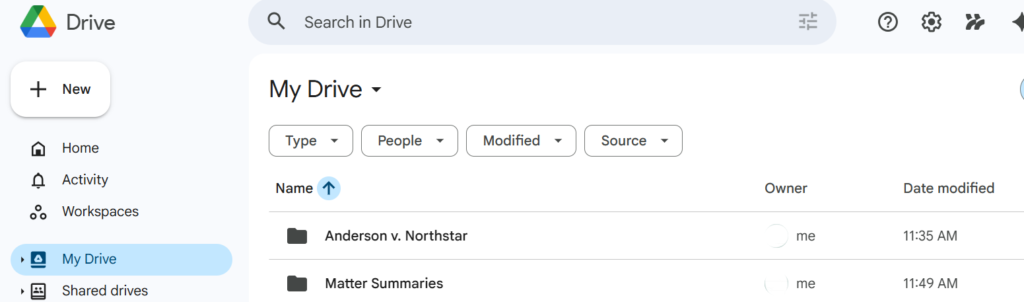
What stood out was not simply the analysis itself, but the continuity of execution. Cowork created a new Matter Summaries folder automatically, generated a Word document titled Anderson_v_Northstar_Litigation_Status_Report.docx, and assembled a fully structured litigation status report without requiring step-by-step supervision.
The final report included:
• a case overview and procedural posture
• a detailed timeline of events
• unresolved litigation risks
• upcoming deadlines
• missing documentation
• and recommended next actions for counsel
What would normally require reviewing multiple documents, organizing notes manually, cross-referencing timelines, and drafting a client-ready summary was handled through a single instruction and completed in the background.
This is no longer about producing faster responses. It is about delegating operational work entirely.
For those working in legal operations, this shift is more significant than it initially appears. Many daily tasks are not inherently complex, but they involve multiple steps: reviewing documents, cross-referencing information, organizing ideas, and preparing deliverables.
And this same principle extends well beyond litigation workflows. Whether the input is contracts, emails, spreadsheets, or internal case materials, Cowork does not simply analyze information; it organizes it, connects it, and transforms it into usable work products.
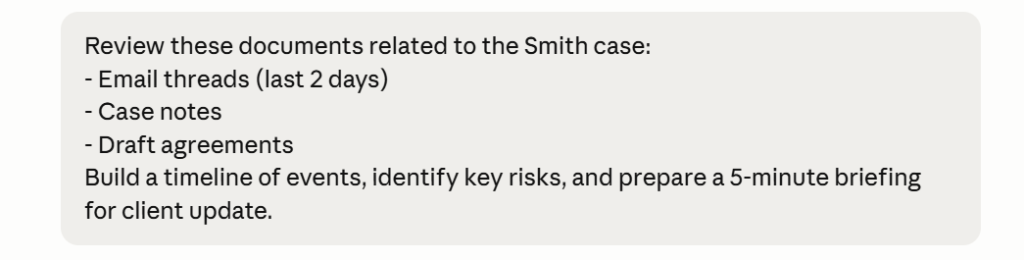
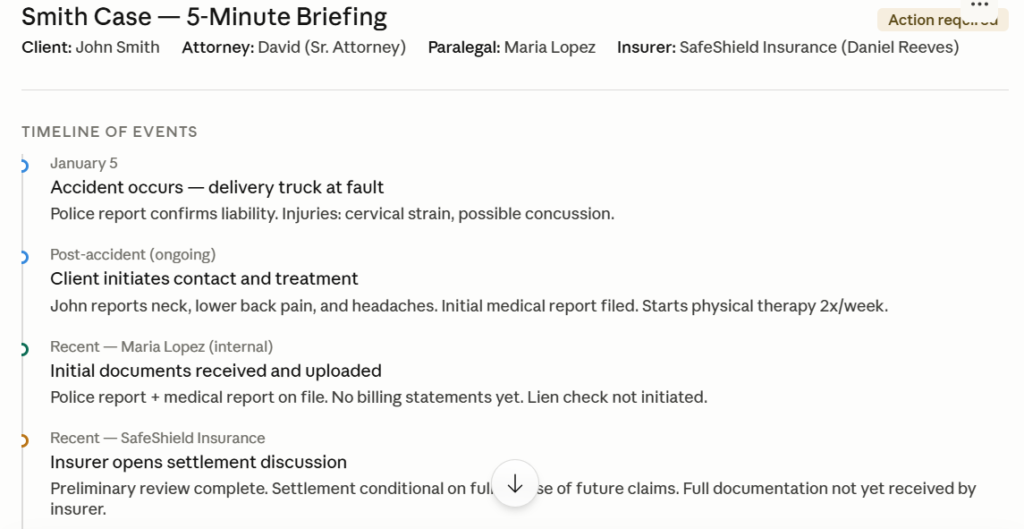
The result is not a list of disconnected observations, but a structured briefing with clear timelines, identified risks, actionable next steps, and organized supporting information that can immediately support internal discussions or client conversations.
This is where Cowork’s integrations move beyond being a simple list of connected tools and become a genuine operational advantage. Cowork can move information across documents, prepare reports, organize files, build presentations, and maintain structured case workflows without constant user intervention.
Tasks can also be scheduled to run automatically, from recurring case summaries to file organization and weekly matter updates, even allowing instructions to be triggered remotely and executed in the background.
Pricing & Plans
Cowork is available across Claude’s paid plans, designed to scale with different levels of usage. The Pro plan starts at $17 per month when billed annually ($20 monthly) and provides full access to Cowork, making it well suited for individual users beginning to explore agent-based workflows. For more intensive use, the Max plan starts at $100 per month, offering tiers with 5x or 20x higher usage limits, along with priority access and early access to advanced features. For teams, the Team plan starts at $20 per user per month when billed annually ($25 monthly), with a minimum of five users, while organizations requiring advanced administrative controls, single sign-on, and compliance capabilities such as HIPAA can opt for Enterprise plans with custom pricing based on scale and operational needs.
What Makes It A.I. Enabled?
Unlike traditional chatbots that generate text in response to prompts, Cowork operates as an agent capable of planning, making intermediate decisions, executing multi-step workflows, and adjusting its approach dynamically when needed. It is powered by Claude Opus 4.6, optimized for long-running, autonomous tasks, with a context window of up to one million tokens, allowing it to process extensive document sets without losing continuity. The system consistently prioritizes the most precise tool available, whether that is a direct integration such as Gmail, browser navigation, or even interacting with the desktop environment itself, always with user visibility and approval for significant actions.
Security & Privacy
Security is a central consideration for legal applications, and Cowork is designed with strong safeguards in place. Conversation history is stored locally on the user’s device, and access to files, folders, and integrations is fully controlled by the user. Before executing meaningful actions, Claude presents a plan and requires approval, allowing for redirection or interruption at any stage. For Team and Enterprise users, processing occurs within Anthropic’s infrastructure under strict data protection agreements, with no model training on user data, and Enterprise plans support HIPAA compliance, which is particularly relevant for firms handling sensitive medical information. That said, for highly sensitive client data, consumer-level plans are not appropriate, and firms should rely on Team or Enterprise configurations while aligning with internal and client authorization protocols when deploying any AI system.
The Judgment
Claude Cowork is not a tool for answering questions. It is a tool for delegating work, and that distinction is what sets it apart from most AI solutions currently available in the legal market. While it can certainly assist with drafting, its real value lies in removing operational tasks from your workload so you can focus on work that requires judgment and expertise.
For small and mid-sized firms in particular, the impact is immediate, as there is no need for a technical team or programming knowledge. You describe the outcome in natural language, connect your tools, and Cowork executes.
A practical starting point is to begin with the Pro plan, install the legal plugin, and assign it a meaningful task within the first week, not something trivial, but something that would typically take hours and involve multiple systems. The outcome of that single exercise will provide a far clearer understanding of its value than any demonstration.
Have Feedback?
I’ve reserved a special space each week for you to vent, supplement with relevant info, or ask questions about the product. The only way the content gets better is if you participate. I look forward to hearing from you! You can e-mail me here.