We’ve all been there. You write an important email, a technical report, or a social media post and wonder: “Does this sound right?” You might even send it to a trusted colleague for a quick look. But what if you could get that immediate, smart, and precise feedback without interrupting anyone? That’s exactly what Quillbot does: an AI-powered tool that rewrites, summarizes, corrects, and perfects your text in seconds. And the best part: it’s not just for academics or professional writers. Quillbot is for anyone who works with words and wants to do it better, faster, and with less stress. It’s like a silent co-pilot that helps you sound clear, professional, and confident — even when you’re tired or feeling stuck.
Favorite law firm use cases: Drafting sharper emails, letters, general correspondence and social media content. It’s also great for translation purposes, and achieving a more natural, fluent tone.
Features & Functionality
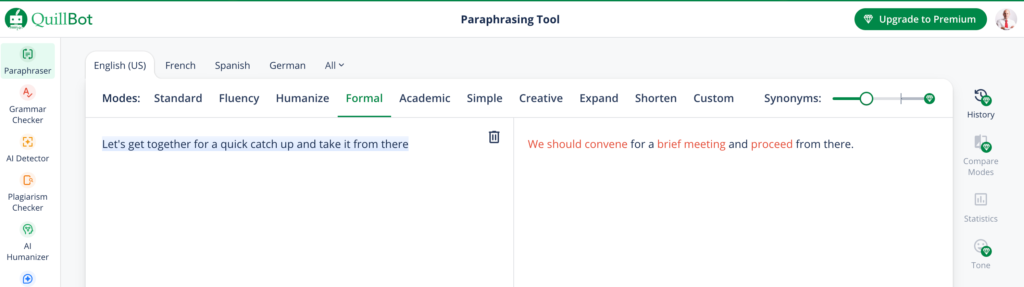
What impressed me most about Quillbot is how easy it is to get started and how quickly it delivers useful results. The flow is simple: paste your text into Quillbot’s editor, choose the rewriting style you want — formal, simple, creative, academic, etc. — and within seconds, you get an improved version of your original text.
The Paraphraser tool is one of my favorite features and the first option you get after setting up your account. In the example below, you can see a real result using the Formal mode. You can also choose other styles like Fluency, Humanize, Academic, or Simple, allowing you to adjust tone and complexity as needed.
But it doesn’t stop there. Quillbot includes an English Grammar Checker that instantly detects errors and suggests improvements, a summarizer that condenses long texts into clear paragraphs, and a citation generator (ideal for academic work). All of this happens inside a clean, intuitive, and fast interface, where you can easily switch between your original text and the AI’s suggestions.
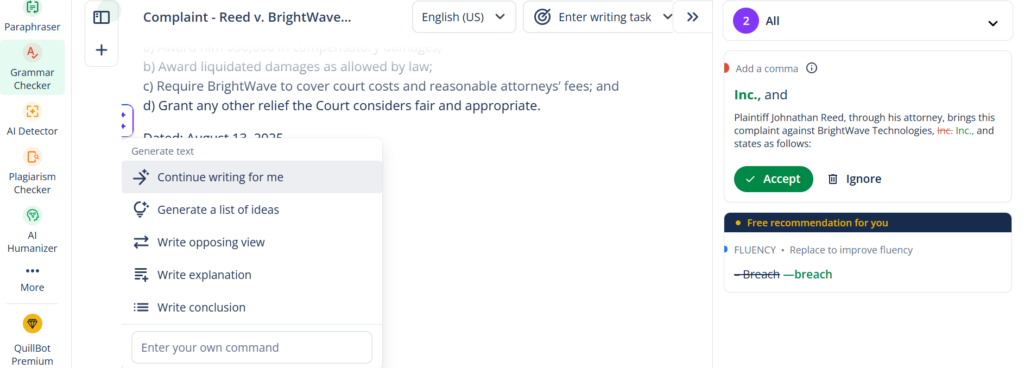
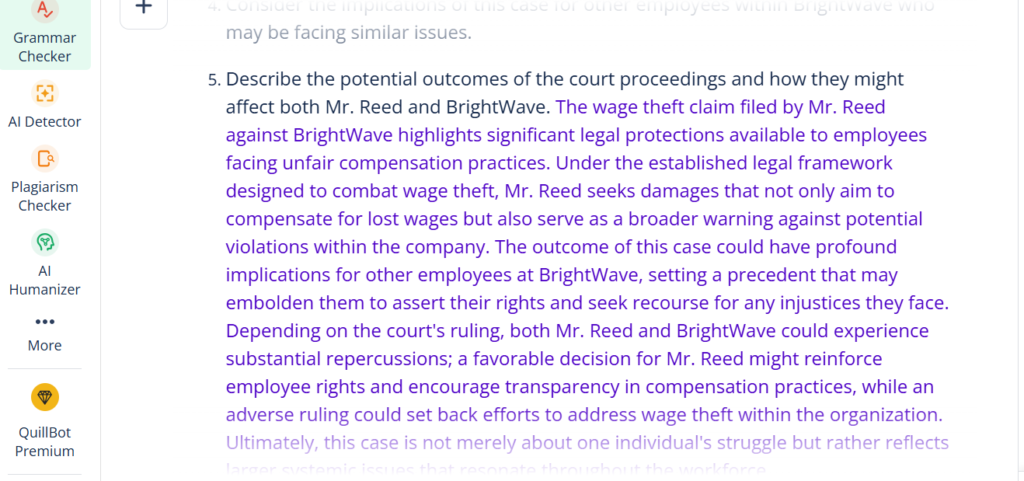
In the screenshot below, you can see how, in addition to marking corrections and fluency suggestions, Quillbot offers a menu of smart actions like Continue writing for me, Generate a list of ideas, Write opposing view, Write explanation, or Write conclusion. These tools don’t just fix your text — they boost your creativity, helping you expand, complete, or reframe your writing in seconds.
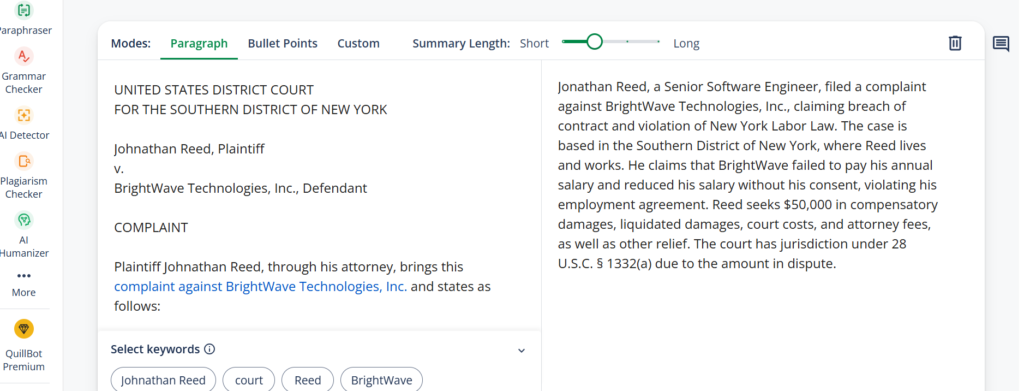
One of the most useful features is the “Compare” mode. If you’re undecided between different ways of saying the same thing, Quillbot lets you compare versions and pick the one that best matches your voice. You can also “freeze” words or phrases you don’t want the AI to change — perfect for technical terms or proper names. In the image, you can see an automatic summary of a legal text we uploaded earlier. Quillbot identifies the main ideas and condenses them into a short paragraph while keeping the original meaning intact. This is invaluable when you need to quickly convey the essence of a long document without losing key points.
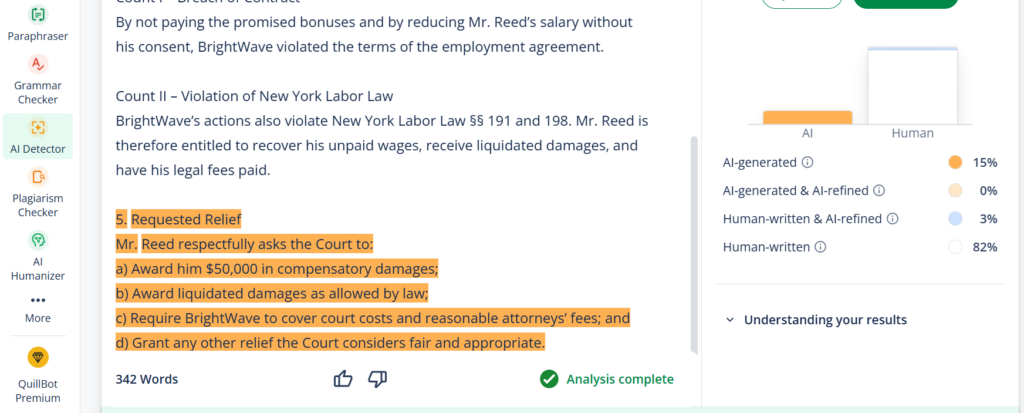
Another helpful feature is Quillbot’s AI Detector, which analyzes text and shows what percentage was AI-generated versus human-written. This kind of tool is useful for ensuring a document’s authenticity or checking if a text keeps a natural, human style.
Another advantage: there’s nothing to download. Everything works in your browser, or you can install a Chrome extension or use the Word integration. In fact, many people who use Grammarly for basic corrections are switching to Quillbot for its extra rewriting power.
In short, Quillbot is not just a rewriting assistant — it’s a complete tool that combines correction, summarization, creativity, and intelligent analysis. Features like the AI Detector, shown in the last image, help verify authenticity and naturalness, adding an extra layer of trust and professionalism. A versatile solution for anyone seeking quality, speed, and precision in their writing.
Pricing & Plans
Quillbot’s free version is generous: you can rewrite up to 125 words at a time and access the summarizer, grammar checker, and standard mode. The real value, however, comes with its premium version. Starting at just $4.17 USD/month (annual billing, $49.95 USD/year), you unlock all tone modes, more words per input, additional paraphrasing levels, advanced features, and more natural results. Monthly plans are $9.95 USD, or $6.65 USD on the quarterly plan. With premium, you can save up to 15 minutes a day on editing and rewriting — time that quickly adds up and easily covers the cost. And with a free trial that requires no credit card or installation, it’s simple to test how well it fits into your workflow.
What Makes It A.I. Enabled?
Quillbot uses natural language processing and machine learning to help users improve and refine their writing. Its core functions—paraphrasing, grammar correction, and summarization—are powered by sophisticated language models, notably LLMs similar to OpenAI’s GPT-3 and 4, though QuillBot’s proprietary models are also referenced in official documentation. These models help QuillBot optimize content, detect plagiarism, and support multiple languages, adapting to various writing styles and user needs. QuillBot’s A.I. continually improves by learning from user feedback, enabling smarter, more context-aware suggestions over time. Overall, QuillBot’s integration of LLMs makes it an efficient tool for enhancing writing quality across many domains.
Security & Privacy
We know privacy matters — especially when you’re working with sensitive or internal information. Quillbot ensures that it does not train its models on your texts or share your information with third parties. QuillBot does collect user data, including the text you input, in both free and premium versions, primarily to improve algorithms and user experience. That said, their privacy policy states that your data is protected through encryption and access is restricted to authorized personnel. Importantly, QuillBot does not permanently store user-submitted content, nor does it sell your data or use it for third-party A.I. model training. When conducting product research, any directly identifying information is removed from the data. So, while QuillBot may analyze usage data to refine its services, your personal writing remains your property and is handled securely.
The Judgment
Quillbot is the kind of tool you start using to check a text… and end up using every day. It’s fast, reliable, and tangibly improves your written communication — without making you feel like you’re wasting time or losing your personal style to A.I. If you find yourself rewriting the same sentence over and over or doubting how your professional English sounds, give it a try. The entry barrier is low, the impact on your work is high — and the feeling of writing with clarity, effortlessly, is truly priceless.
Have Feedback?
I’ve reserved a special space each week for you to vent, supplement with relevant info, or ask questions about the product. The only way the content gets better is if you participate. I look forward to hearing from you! You can e-mail me here.