CoCounsel is the AI assistant that every lawyer dreams of—a research powerhouse, a drafting dynamo, and an editing aficionado, all rolled into one. With seamless integration into Westlaw, it delivers precise, context-aware results that save hours of legal legwork. Whether you’re refining a motion, analyzing case law, or crafting a client-ready contract, CoCounsel acts like the star associate who never sleeps, forgets, or complains. Its ability to digest complex queries and generate polished drafts makes it invaluable for litigators and transactional attorneys alike. More than just a tool, CoCounsel is a trusted extension of your legal expertise, offering efficiency, accuracy, and peace of mind. It’s not replacing lawyers—just making their lives a whole lot easier.
Favorite law firm use cases: Legal research and analysis; client-ready document drafting; document search, analysis and summarization.
Features & Functionality
When it comes to CoCounsel, the phrase “built different” springs to mind. Thanks to the recent acquisition of Casetext by Thomson Reuters, Westlaw’s capabilities have been supercharged. While Casetext had access to solid legal content, it was not as extensive as Thomson Reuters’ comprehensive legal library. And Casetext was further ahead on its AI development when acquired by Thomson Reuters. The acquisition allowed the newly minted CoCounsel product to leverage a vast repository of legal information backed by Thomson Reuters’ legacy in legal research (read: Westlaw’s goldmine of authority). CoCounsel now positions itself as the Watson to your Sherlock, promising to streamline the heavy lifting of legal work with a mix of automation, advanced search capabilities, and drafting wizardry.
Unlike some competitors, the tool doesn’t just surface relevant authority—it digests it, offering summaries and citations while ensuring you don’t drown in a sea of unnecessary case law. CoCounsel serves as a unified GenAI experience across Thomson Reuters products, offering AI-assisted research presented as 4 skill areas. Once logged in you are shown a very clean interface with 4 skill areas to choose from that guide your usage: Research, Review, Summarize & Draft.
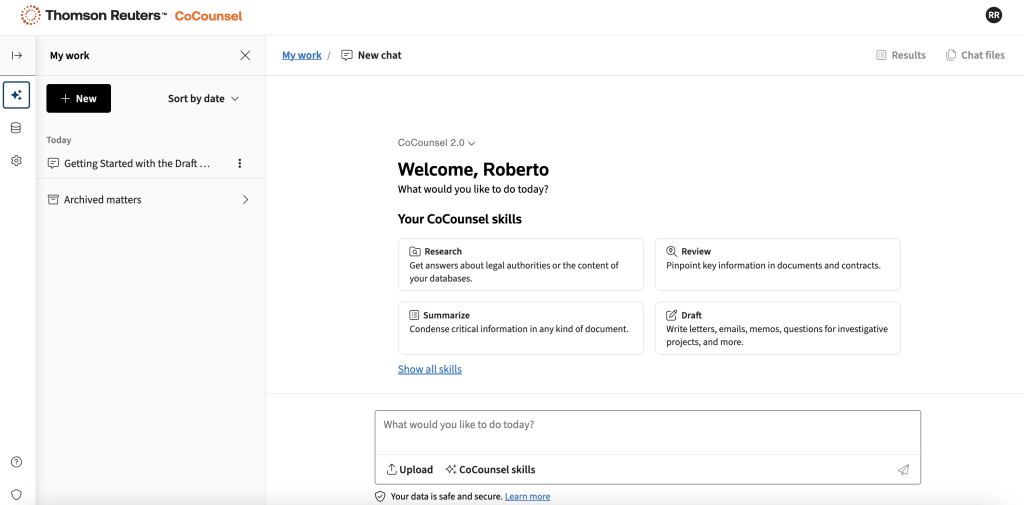
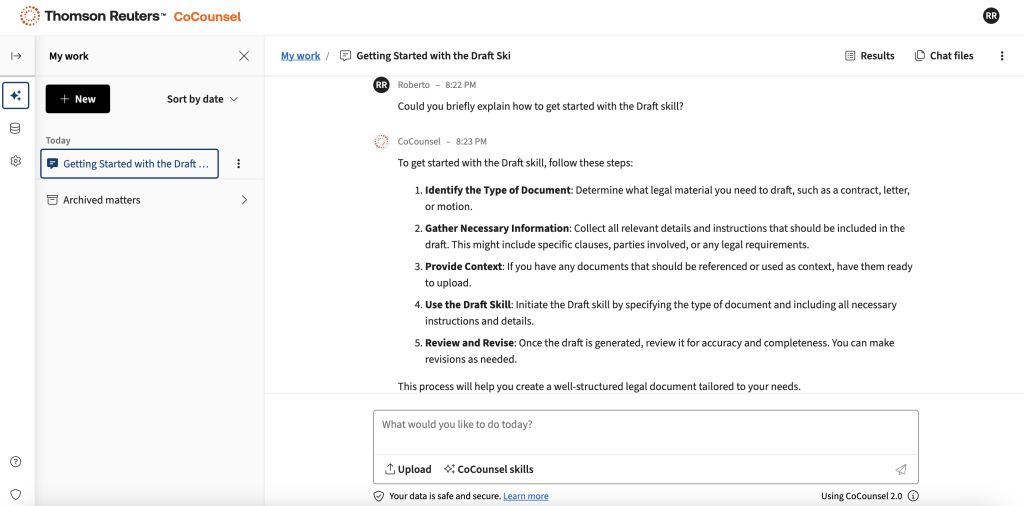
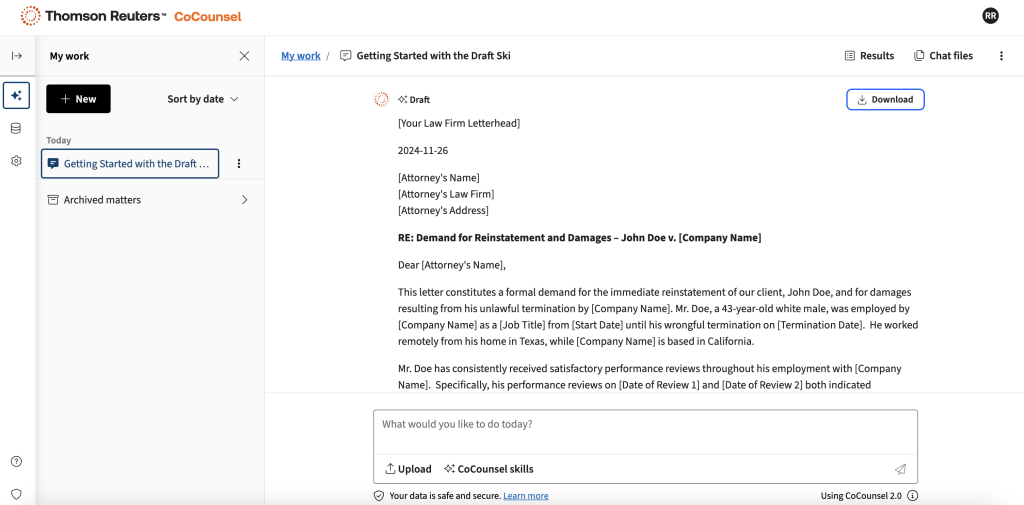
I started with an exploration of the Draft skill. Need a polished demand letter or a contract? Under the Drafting skill, CoCounsel can generate a draft that’s surprisingly robust for a first pass. While you’ll need to tweak and customize for client nuances (no AI tool can replace your legal judgment), CoCounsel saves hours in grunt work.
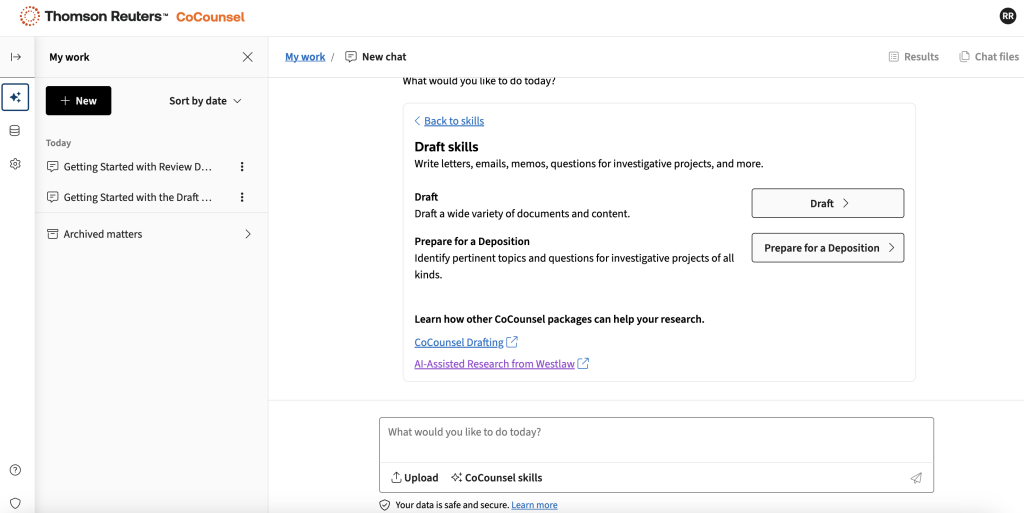
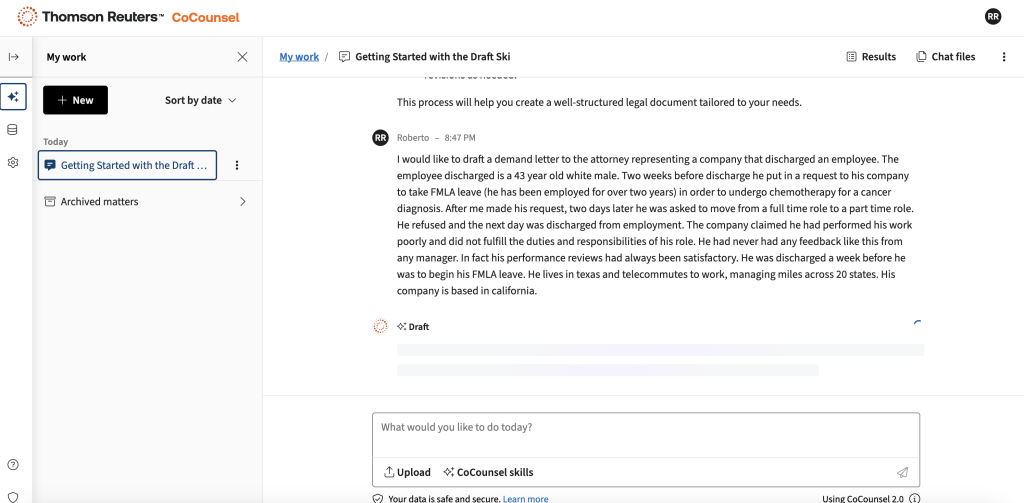
I chose to test drafting of a demand letter for a discharged employee with a simple fact patterns. I was actually quite pleased with the results. The draft is even downloadable to Word for further editing.
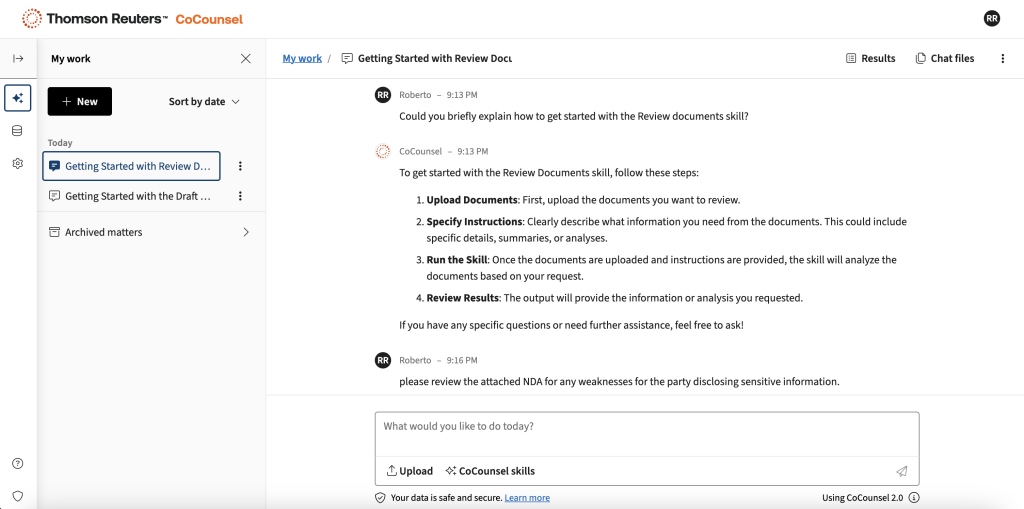
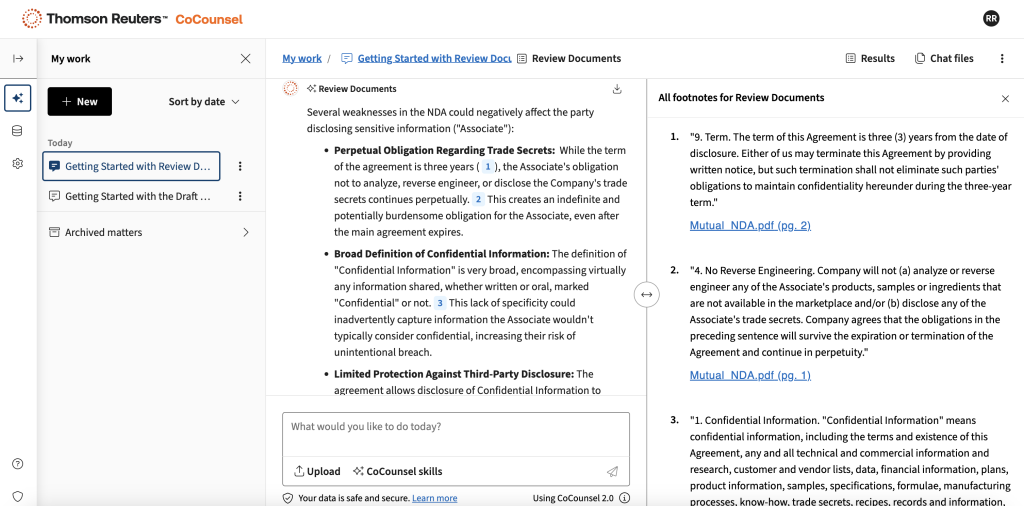
After an impressive display in the Draft skill, I tried my hand with the Review skill. I uploaded an NDA I had on hand and asked CoCounsel to tell me any weaknesses in the clauses from the perspective of the party disclosing confidential information. The results were pretty solid. I was given feedback along with citations to the document and suggested language changes. This same functionality can be used with a multitude of other legal documents, whether transaction or litigation based.
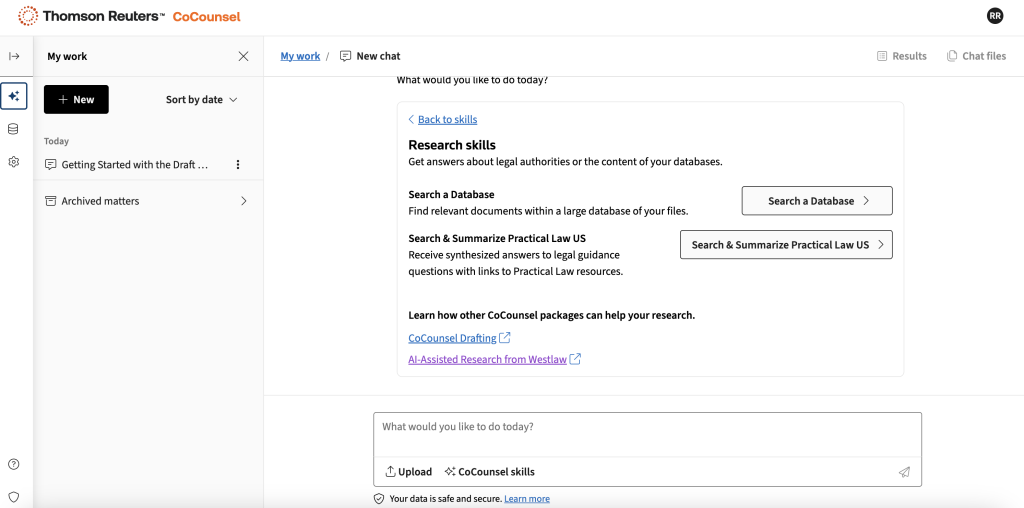
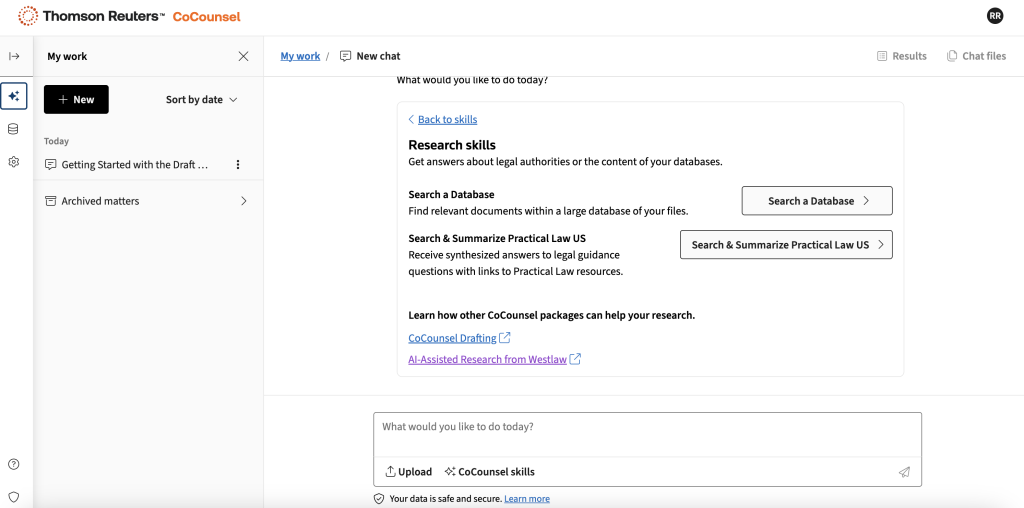
The CoCounsel Research skill is a superior version of a Westlaw case search we remember from the pre-AI days. CoCounsel now has the ability to conduct simpler natural language queries. You could type, “Find me recent appellate decisions about fiduciary duty breaches in California,” and CoCounsel will promptly scour its vast database, returning results faster than your caffeine kick. CoCounsel comes equipped with the Practical Law Dynamic Tool Set, which is basically like having a library of expert advice at your fingertips.
Additionally, CoCounsel features a Database search function that allows you to upload your own database of documents you can search across. This is extremely helpful if you need to sift through numerous documents for a needle in a haystack. Due diligence on a deal or combing through written discovery come to mind as great use cases.
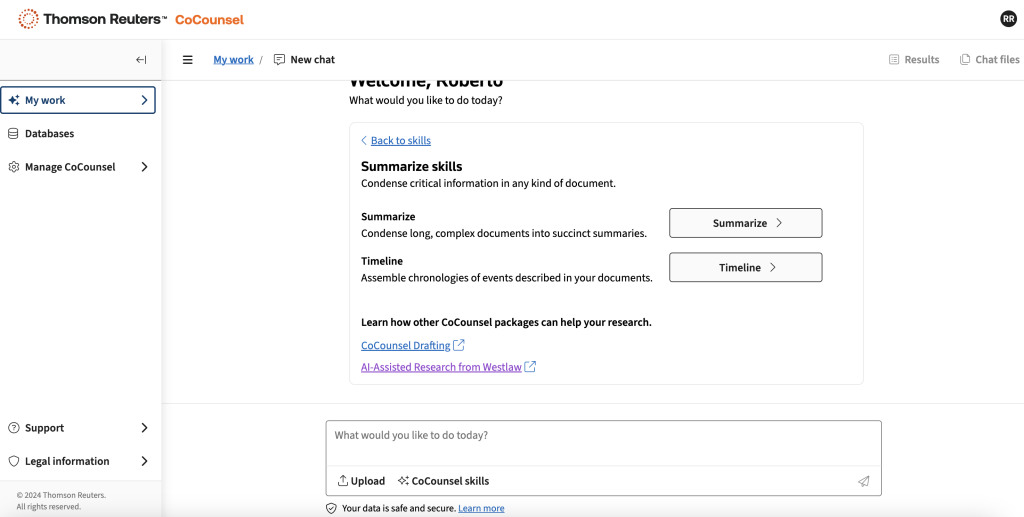
Finally the Summarize skill is a very handy tool when you have to ask for the highlights from a long document or two. Ideal for a summary of a brief or legal opinion.
What’s more, CoCounsel plays well with others. It integrates seamlessly with Westlaw and Practical Law, and it’s even getting cozy with Microsoft Teams and 365. In short, CoCounsel isn’t just another tool; it’s your new best friend in the professional world—ready to boost your productivity, enhance your confidence, and maybe even impress you along the way. By combining advanced AI technology with Thomson Reuters’ extensive legal expertise and content, CoCounsel offers a more comprehensive, reliable, and efficient solution than many of its competitors in the AI legal assistant space. With all of the bells and whistles it’s hard to do the product justice in a short review, but I will say that a few months ago I found Westlaw’s AI capabilities lackluster. With the new release of CoCounsel 2.0, I think they dynamic has shifted significantly for the better.
Pricing & Plans
It’s no secret that a Thomson Reuters product comes with premium pricing, and CoCounsel isn’t an exception. Expect to pay extra for this feature, on top of a regular Westlaw subscription. CoCounsel subscriptions are advertised to start at $250 per user for up to ten attorneys in a firm. Larger firms with deeper pockets will likely negotiate better deals, but solos or boutique firms may find the cost a bit steep without a solid ROI. In my mind, the dependability of the resources makes the product worth a premium. I recommend requesting a free demo and seeing how long you can get free access to take it for a test drive.
What Makes It A.I. Enabled?
CoCounsel is an AI-enabled assistant that enhances professional workflows through advanced integration of leading language models from OpenAI and Google Cloud AI. This allows CoCounsel to generate answers quickly and intuitively, leveraging a vast repository of authoritative content accumulated over 150 years. The AI can understand and respond to natural language instructions, allowing lawyers to interact with it as they would with a colleagueIt seamlessly integrates with Thomson Reuters products like Westlaw Precision and Practical Law, as well as Microsoft 365 applications, enabling efficient access to customer documents.
Security & Privacy
CoCounsel is designed with strong privacy and security measures to protect user data. The platform does not use client data to train its AI models. This commitment to data privacy is a key feature of CoCounsel, ensuring that law firms and legal professionals retain complete control over their sensitive information. CoCounsel employs a zero-retention API, which prohibits third-party AI models from retaining or using customer data for training purposes. This means that the information used in CoCounsel is not sent back to train OpenAI’s model or any other AI system. The company emphasizes that CoCounsel only accesses OpenAI’s model through dedicated servers, described as a “private entrance,” and uses an interface that never stores any content uploaded to or entered into the system by customers.
The Judgement
CoCounsel is the Ferrari of AI-powered legal tools: sleek, fast, and undeniably powerful—but only within reach if your budget has room for luxury. For firms that can afford it, the tool’s time-saving capabilities and impeccable integration with Thomson Reuters’ ecosystem make it a formidable ally. It’s ideal for firms that value quality, speed, and innovation in equal measure. If your practice thrives on precision and efficiency, CoCounsel could be a game-changer. For those counting every dollar, this might be one to admire from afar—unless Thomson Reuters finally offers a pricing model accessible to smaller practices.
Feedback
I’ve reserved a special space each week for you to vent, supplement with relevant info, or ask questions about the product. The only way the content gets better is if you participate. I look forward to hearing from you! You can e-mail me at rc@sabersolutions.co.