Legal writing demands precision, clarity, and impeccable tone. But between drafting briefs, client emails, internal memos, and business proposals, attorneys spend hours polishing every sentence until they achieve the exact message. Wordtune is an A.I.-assisted writing tool that transforms this repetitive task into an instant and efficient process. With a single click, it rewrites, adjusts tone, shortens, or expands any text—without leaving your browser, email, or document. Designed for professionals who value their time, Wordtune doesn’t just improve your writing: it gives you back hours of work each week.
Favorite law firm use cases: Rewriting briefs and motions with greater clarity and argumentative force without compromising technical precision; adjusting the tone of client emails to convey empathy or formality depending on the context; summarizing lengthy contract clauses into concise versions for internal review or executive presentation.
Features & Functionality
Wordtune functions as an intelligent editor integrated directly into the tools you already use every day. Once installed as a Chrome or Edge extension, or as a Microsoft Word add-in, the platform analyzes any selected text and offers multiple rewriting options in real time. You can choose to make a paragraph more formal, more casual, more direct, more descriptive, or simply better written. You don’t need to switch windows or copy and paste: you select the text, the Wordtune floating menu appears, and within seconds you have ready-to-apply alternatives.
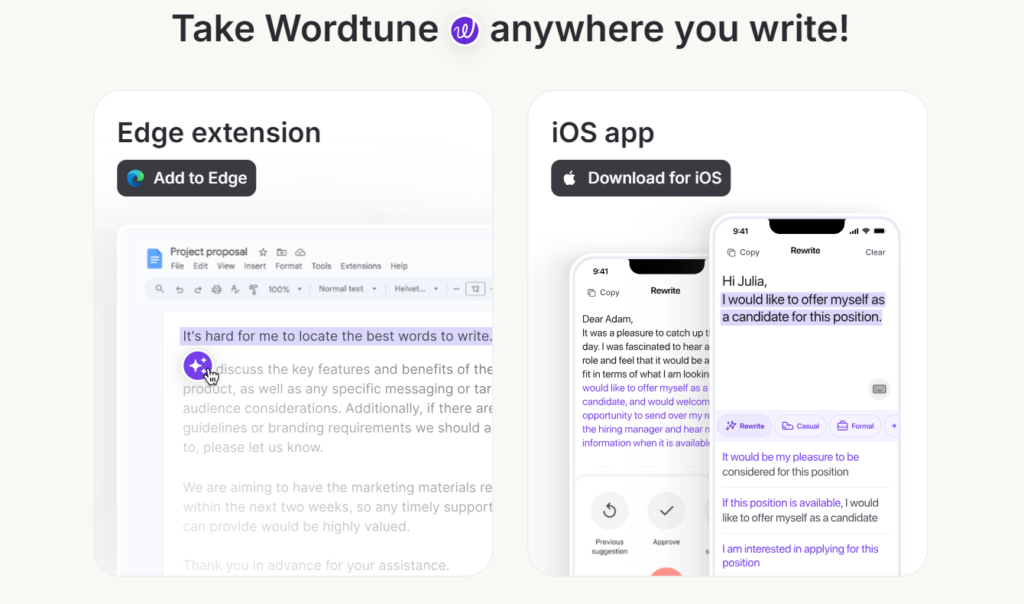
What distinguishes Wordtune from traditional spell checkers is that it doesn’t just detect errors—it intentionally improves your message. Imagine you’re drafting a delicate email to an unhappy Wordtune rewrites the entire sentence while maintaining the essential content but adjusting the voice.
Similarly, if you’re reviewing a lengthy contract and need to summarize a complex clause for your team, the “Shorten” function condenses the text without losing key points. For attorneys drafting in English as a second language, Wordtune acts as a writing mentor that constantly elevates the professional quality of every communication.
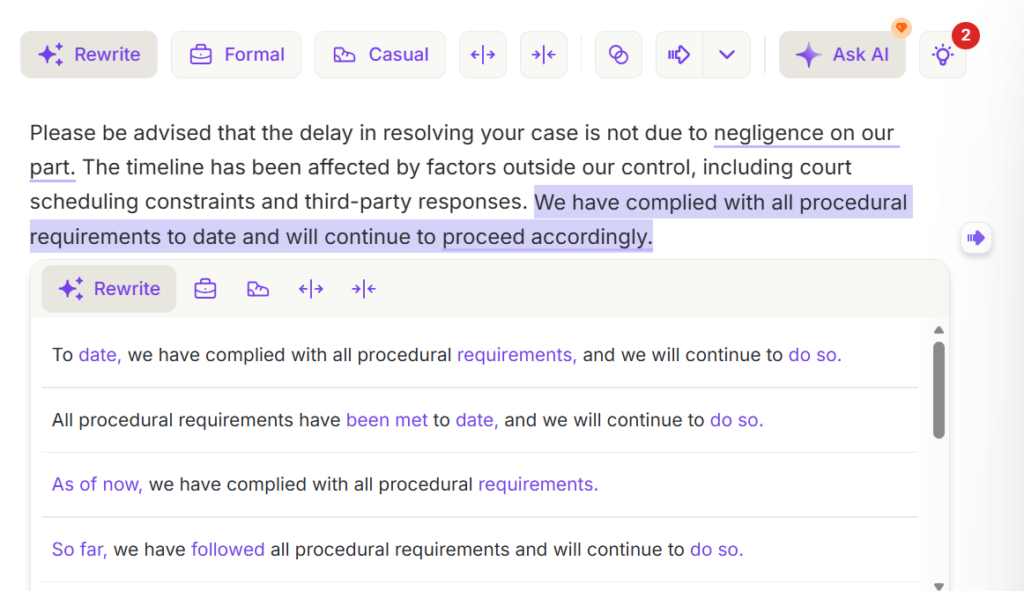
To demonstrate this functionality, we entered a legal paragraph with an initially cold and defensive tone into Wordtune, similar to an email addressed to an unsatisfied client. Upon selecting the text and clicking “Rewrite,” the platform automatically generated several improved rewriting options below the original content. Each alternative kept the legal meaning intact but adjusted the tone to make it clearer, more empathetic, and more professional, allowing you to choose the most appropriate version based on context.
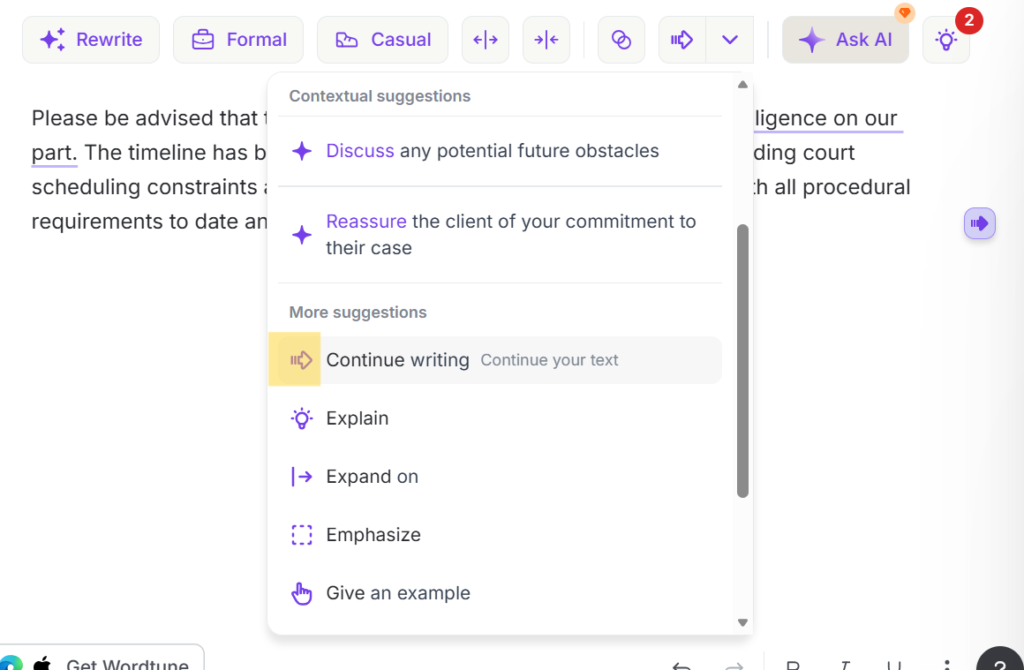
The platform also includes text expansion and continuation functionalities. If you’re stuck in the middle of a legal argument or need to develop an idea in greater depth, Wordtune can suggest continuation phrases based on previous context. This is especially useful when drafting lengthy memos or reports, where maintaining narrative flow is essential. Additionally, the tool is surprisingly fast: suggestions appear almost instantly, allowing you to review complete documents without interrupting your workflow.
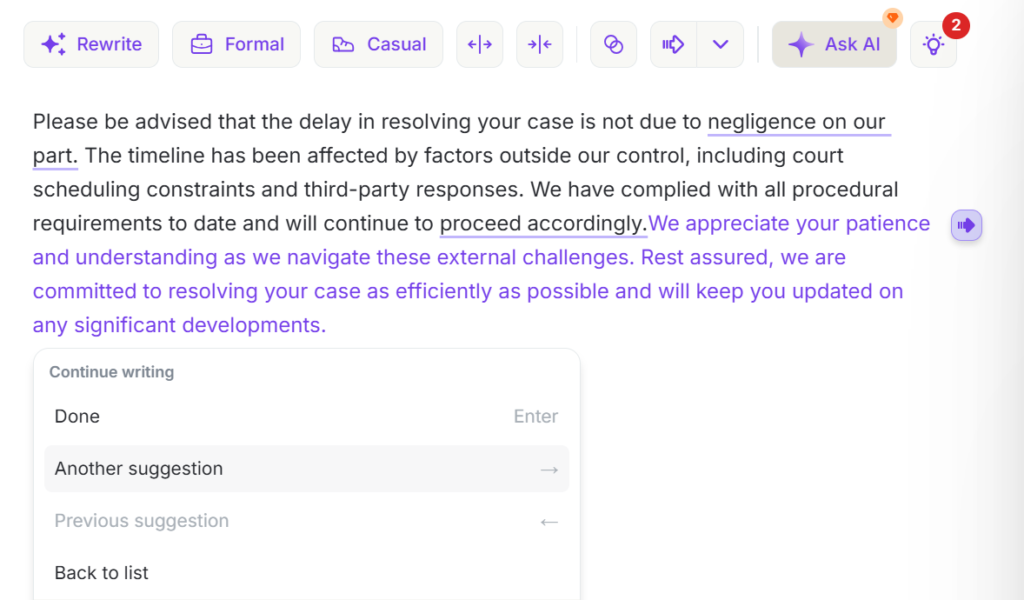
Once Wordtune offers a suggestion, the user maintains total control over the outcome. You can click “Done” to apply the proposed version, select “Another suggestion” to explore additional alternatives, or simply discard the change and return to the original text if no option fits what you’re looking for. This flexible flow allows you to refine each sentence with precision, without wasting time or compromising the original intent of the message.
Wordtune also offers an integrated translation function that allows you to rewrite content in multiple languages while maintaining the desired tone and style—a significant advantage for firms handling international cases or Spanish-speaking clients. Its interface is minimalist and non-invasive: it appears only when you need it and disappears when you don’t. For attorneys who value discreet yet powerful tools, Wordtune quickly becomes a silent but indispensable assistant that improves every text you produce, from court filings to client newsletters.
Pricing & Plans
Wordtune offers three subscription tiers adapted to different legal needs. The Basic plan is free and includes 10 daily rewrites, 3 monthly A.I. summaries, and unlimited spelling and grammar corrections—ideal for trying the tool without commitment. The Advanced plan costs $6.99 USD monthly (billed annually) and expands the limit to 30 daily rewrites and 15 monthly summaries. The Unlimited plan, recommended by Wordtune, costs $9.99 USD monthly (billed annually with 50% discount) and removes all restrictions: it offers unlimited rewrites, A.I. suggestions, and summaries, plus vocabulary improvements, clarity, fluency, and premium support. Consider that if an associate dedicates just 30 minutes daily to polishing writing, that represents over 10 hours monthly—at a billable rate of $200/hour, recovering half that time equals $1,000 monthly in productive capacity. Wordtune Unlimited pays for itself by recovering just 3 minutes of billable time per day. Additionally, the Advanced and Unlimited plans include a 3-day free trial without requiring a credit card—a risk-free opportunity to experience the real impact on your practice.
What Makes It A.I. Enabled?
At the heart of Wordtune lies its use of advanced Natural Language Processing (NLP) to understand context, intent, and linguistic nuance far beyond basic grammar correction. The platform leverages transformer technology and machine learning trained on billions of examples of professional and conversational text, enabling it to not just detect errors but understand what you’re trying to communicate and how to improve it. While Wordtune doesn’t publicly specify the exact LLMs it employs, its architecture relies on models similar to GPT for text generation and deep semantic analysis. What makes Wordtune’s A.I. unique in the legal context is its ability to adjust register and tone without compromising technical precision—when it rewrites a paragraph, it doesn’t simply swap words with synonyms but reformulates the entire structure to optimize clarity, persuasive impact, or formality based on your selected option. The A.I. also learns from your preferences over time, understanding better what type of suggestions you prefer, though this learning occurs at the individual user experience level and doesn’t compromise the confidentiality of your content. For lawyers, this means Wordtune functions as a virtual senior editor reviewing your work in real time, flagging improvement opportunities that even experienced drafters might overlook under time pressure, identifying when a sentence is technically correct but confusing, or when an argument would lose force due to unnecessary passive construction—this deep contextual analysis capability is what transforms Wordtune from a simple corrector into a true professional writing assistant.
Security & Privacy
Are client data secure? Yes. Wordtune processes the text you select solely to generate rewriting suggestions and does not permanently store the content of your documents on its servers—processed information is used exclusively for the requested function and is deleted immediately after completing the task. How are they protected? Wordtune implements end-to-end encryption (SSL/TLS) for all communications between your device and its servers, ensuring text in transit cannot be intercepted, and complies with international data protection standards including GDPR (General Data Protection Regulation), which means strict controls over access, temporary storage, and information processing. For Business plan users, Wordtune offers additional features such as single sign-on (SSO), centralized administrative controls, and deployment options that allow greater control over where and how team information is processed. If I share data with Wordtune, will it be used to train an A.I. model? No. Wordtune explicitly states in its privacy policy that content you process through the tool is not used to train its artificial intelligence models—your writings, emails, and documents remain confidential and do not contribute to improving the system in a way that could benefit other users or compromise your professional confidentiality. For firms handling attorney-client privileged information, this guarantee is fundamental: you can leverage the power of A.I. without exposing legal strategy, sensitive data, or confidential communications.
The Judgment
Wordtune doesn’t replace legal judgment or professional experience—it simply eliminates the friction between your thinking and its best written expression. For attorneys drafting dozens of daily communications, the ability to transform a functional draft into polished text with a single click represents a quantifiable leap in efficiency and professional quality. The price is insignificant compared to the real cost of manually reviewing every email, every motion, every proposal until achieving the perfect tone. The free version offers sufficient functionality to evaluate whether the tool fits your workflow, and the 7-day trial of the Premium plan allows you to experience the full impact without financial commitment. If you value your time and the impression you make with every word you write, Wordtune deserves to become a permanent part of your legal toolkit. Try it for a week—chances are by day eight you won’t remember how you used to draft without it.
Have Feedback?
I’ve reserved a special space each week for you to vent, supplement with relevant info, or ask questions about the product. The only way the content gets better is if you participate. I look forward to hearing from you! You can e-mail me here.