For legal professionals, the task of crafting briefs, motions, and agreements often feels like playing a high-stakes game of Scrabble with a shrinking clock. Enter AllDrafts, a cloud-based AI-powered drafting tool designed to do the heavy lifting. Promising precision, efficiency, and a touch of innovation, it claims to generate high-quality first drafts that require minimal tweaking. But does it deliver on its promise, or is it just another flashy tool with more buzzwords than substance? Let’s take a look.
Favorite law firm use cases: First drafts of motions, memoranda, and demand letters. Drafting numerous standard agreements like NDAs, service contracts, and purchase agreements.
Features & Functionality
AllDrafts distinguishes itself with an intuitive interface that minimizes the learning curve, making it accessible even for tech-wary attorneys. Users input a few prompts—such as the type of document, governing jurisdiction, and key points or clauses—and the software works its magic to produce a tailored first draft in minutes. Its proprietary A.I. engine analyzes thousands of legal documents and precedents, allowing it to generate content that’s both relevant and contextually accurate.
There are a number of robust features but I want to give a small preview of the magic of the A.I. assisted drafting and how easily and fluidly it operates. If you want deeper dives (and it’s worth diving deeper), you can reference the AllDrafts YouTube channel. Rarely have I seen any Legal Tech A.I. product have such a robust channel with live demonstrations of its capabilities. I won’t do each feature justice in this review for the sake of time, but hopefully you can check out some more it has to offer. I was highly impressed.
When you first login you will see a very easy to navigate home page
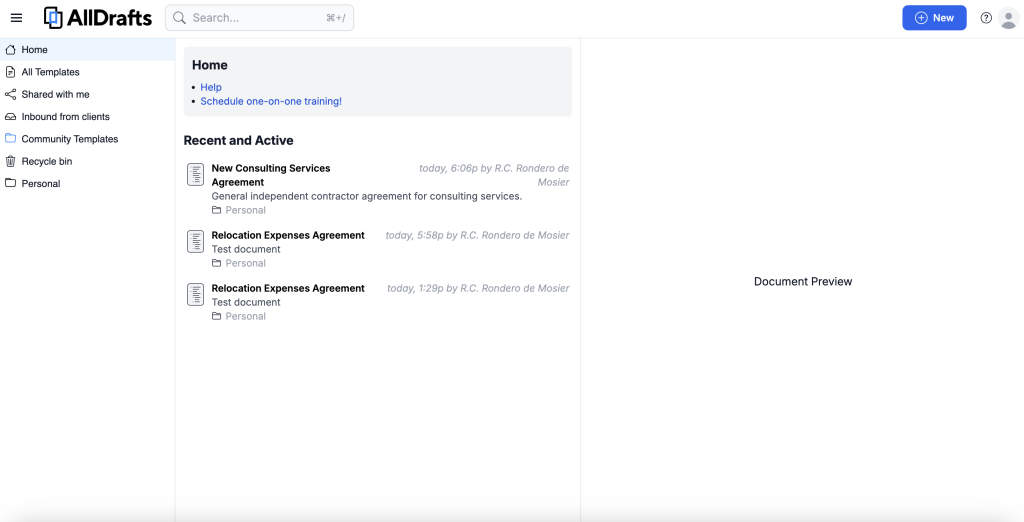
If you are new to AllDrafts you will certainly not have any of your documentation uploaded yet that AllDrafts can pull from. But what you can easily access is their database of Community Templates (and as you upload your own documents the your overall document database will grow – but don’t worry, your uploaded documents will not become part of the community templates). It’s a rather robust set of documents with a number of useful templated clauses. I clicked on the Consulting Services template and found it be a solid base document.

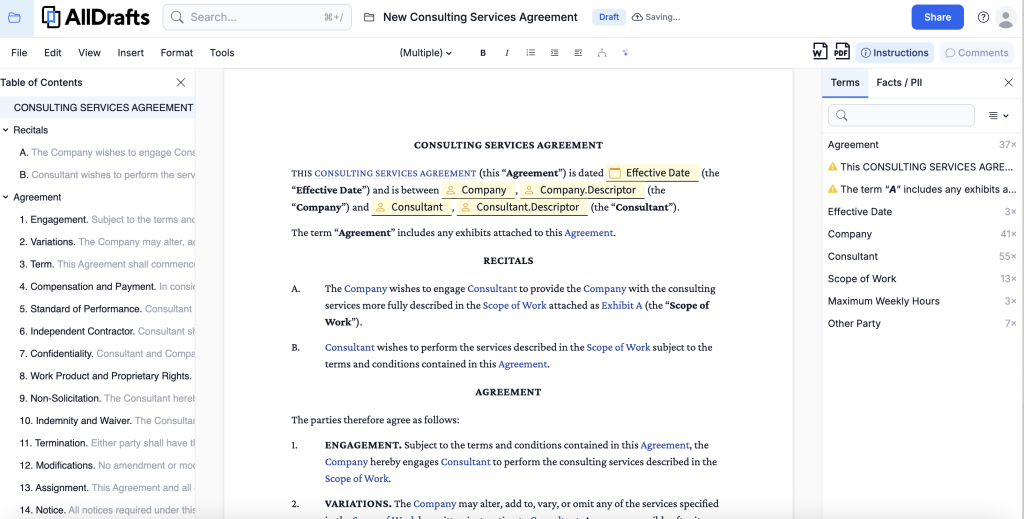
The templates in AllDrafts seem to be the majority of where AllDrafts pulls the data it will use to inform the A.I. drafting assistance if you have not uploaded any of your own documentation. I was eager to see it myself and so I dove in. I went back to the Home page, clicked on “New” and up popped a prompt asking me for a title. I proceeded to ask it to draft my own Consulting Services Agreement.
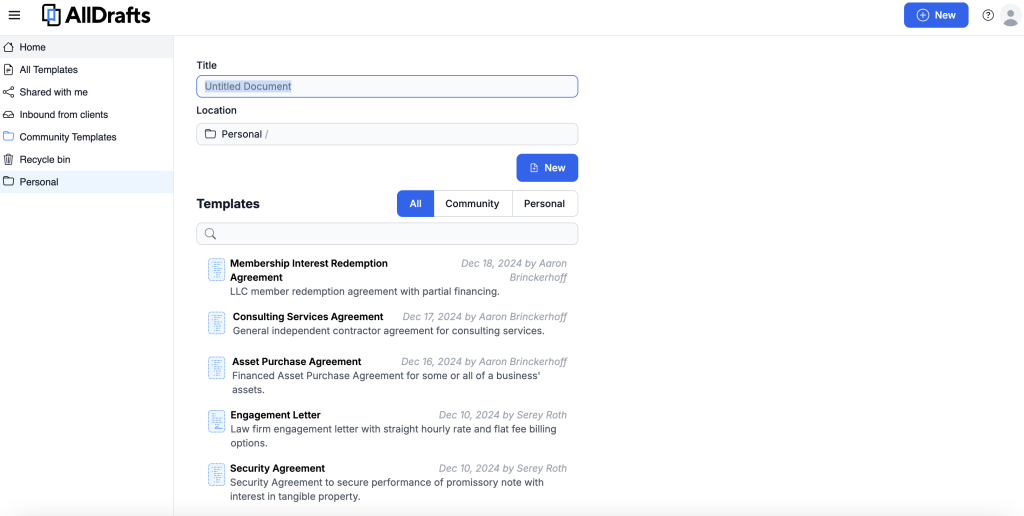
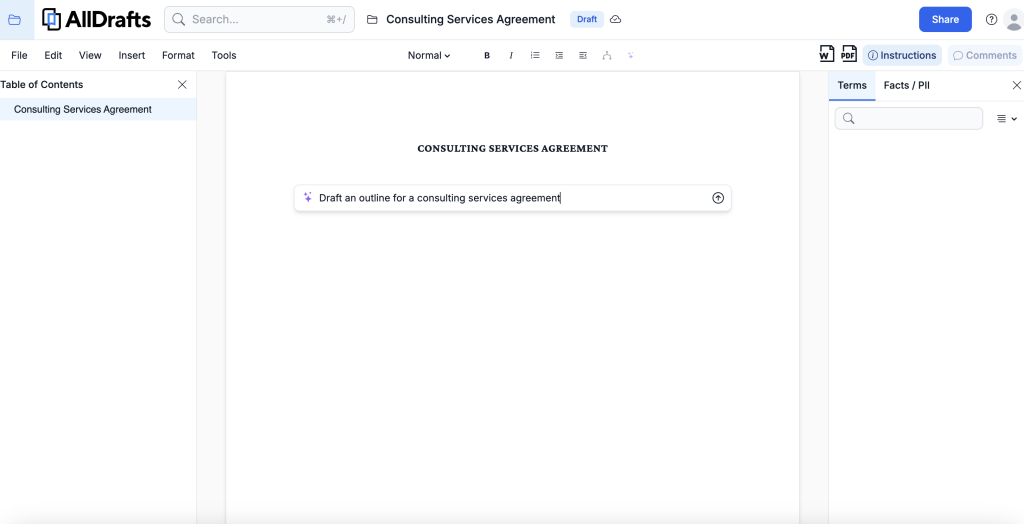
From here I used the A.I. assisted drafting tool and asked the system to create an outline for a Consulting Services Agreement. Within just a few seconds it generated a solid first draft outline. For any attorney out there who does not have precedent for a particular type of agreement, I have to say, this already turned out to be a very helpful starting point.
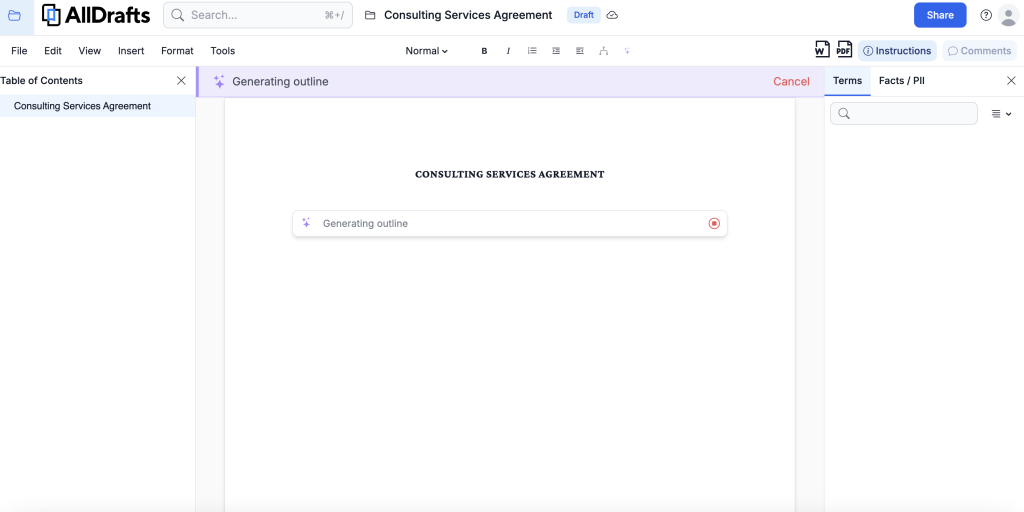
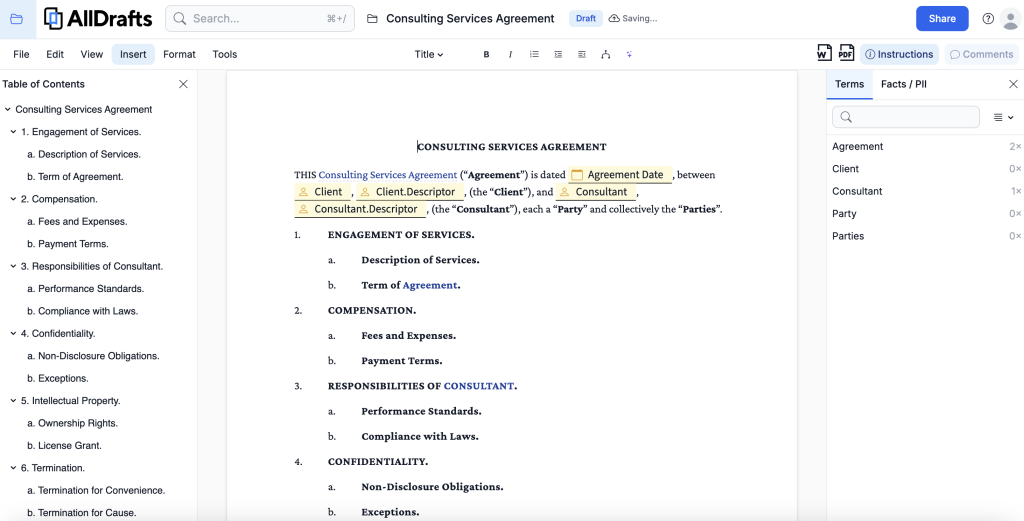
But then you might be asking yourself where you might find the clauses to fill in? One of the incredibly valuable features in AllDrafts is the Clause Library. The software has a massive built in clause library (you can see it applied in the Community Templates) but it will also pull from any of your uploaded documents in the future, allowing for quick retrieval and insertion of relevant clauses (with automatic redaction of sensitive information like prior client names). I set to work asking the A.I. assistant to draft a Term of Agreement clause.
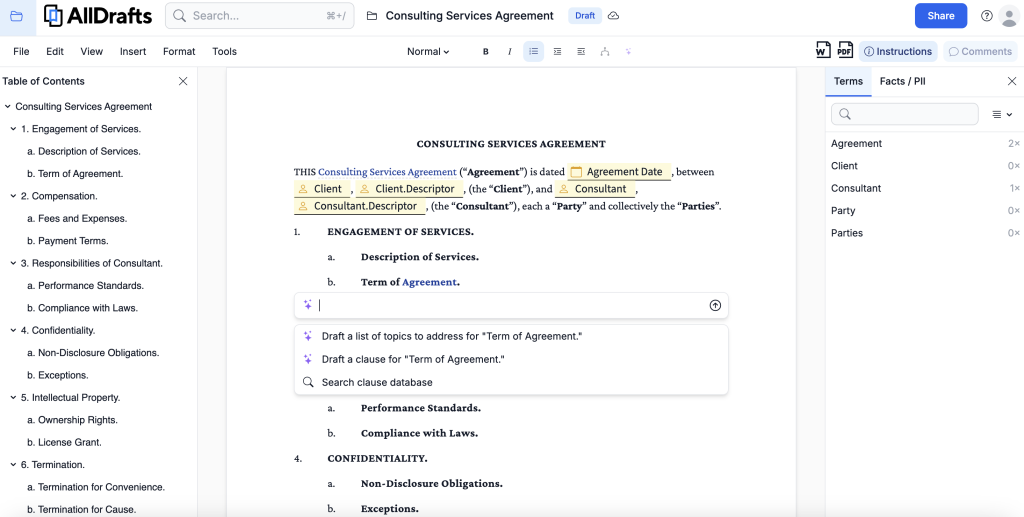
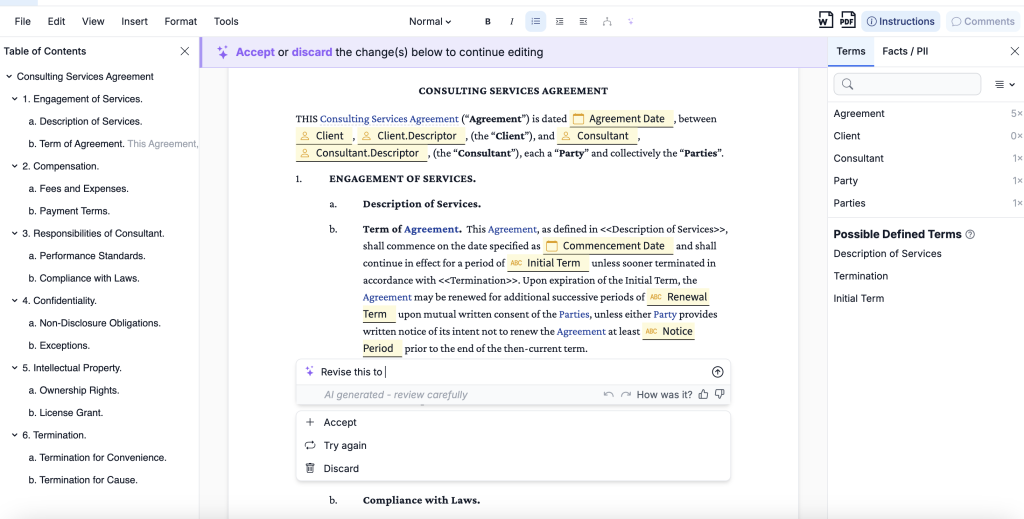
The result was a pretty standard clause that is a great starting off point (maybe even close to done depending on your writing style), all with relevant fill in the blanks for you to customize further. You can even ask the A.I. to revise the language or try again.
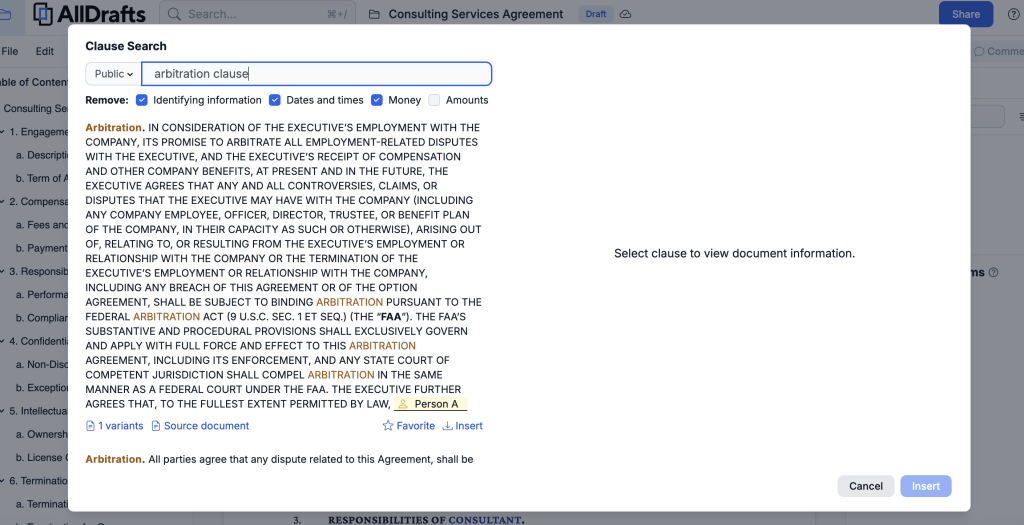
But what if the right clause is not in the outline? There was a section for dispute resolution already created in the outline, but I thought I would test out insertion of an Arbitration clause. I easily found the Clause Search feature and searched for an arbitration clause. Then I was quickly and easily able to insert the clause into the document.
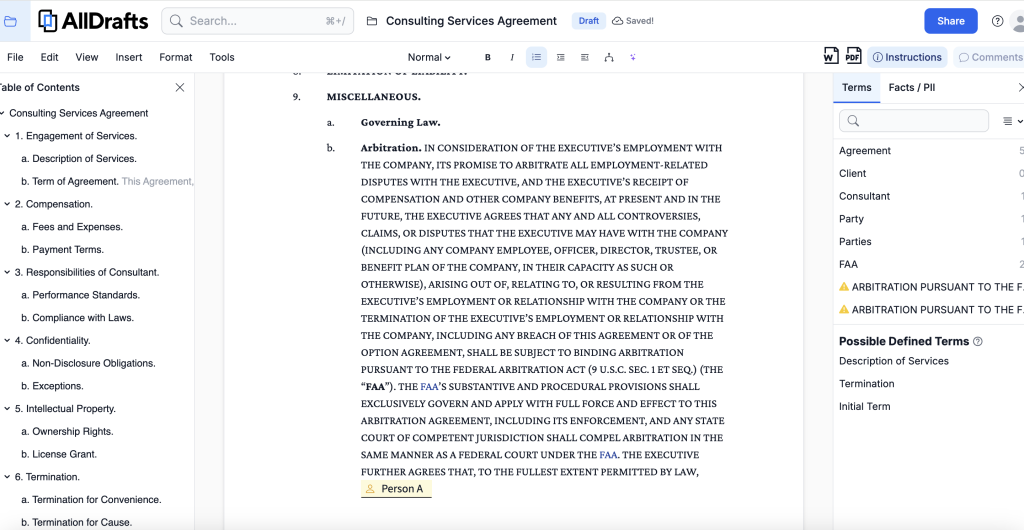
Those features alone made me very bullish on the drafting use case. The platform automatically recognizes and formats defined terms, headings, and subheadings, eliminating the need for manual formatting and reducing errors. As you type, the platform automatically highlights and links key terms to their definitions throughout the document, creating a dynamic glossary. The Legal Engineer has a great YouTube demo that shows some excellent use cases using the A.I. Drafting support.
I did not even get into the application for your already existing documents for this review, but you can imagine how your own uploaded document can use the same A.I. assistant features. For documents with intricate language, the AI can simplify complex paragraphs, making them more accessible and easier to understand. AllDrafts employs a powerful redaction feature that can automatically remove personal information, facts, and cross-references from existing contracts, making it easy to create reusable templates and helps ease the fear that client data will be strewn about.
It’s important to note that AllDrafts positions its A.I. as a smart assistant that enhances, rather than replaces, the work of a lawyer. This approach ensures that legal professionals maintain control over the drafting process while benefiting from AI-driven efficiencies.The AI-assisted drafting feature in AllDrafts represents a significant advancement in legal technology, offering a comprehensive suite of tools that can dramatically improve the efficiency and accuracy of contract drafting.
Pricing & Plans
AllDrafts has a free version that is available to an individual user in the event a licensed user shares a document with you (like an opposing party). In order to get the full use and features, AllDrafts offers a simple pricing plan of $99.95 per month or $999.95 per year for access. I actually like that pricing in comparison to the A.I. drafting tools out there. It might seem steep, but the drafting assistance more than pays for itself. Plus, you don’t have to commit before tying. When you set up an account you get a 10 day free trial period before you even need to enter credit card information. So it’s worth it to just give the 10 day trial a go.
What Makes It A.I. Enabled?
The secret sauce behind AllDrafts lies in its AI-driven natural language processing (NLP) capabilities. Unlike basic template systems, its algorithms analyze legal language patterns and precedents to craft drafts that feel organic rather than robotic. Its contextual understanding ensures that clauses align with governing jurisdictions, and it even adjusts for tone, from persuasive argumentation in litigation to precise language in transactional drafting. The machine learning engine improves over time, learning from user edits to refine its suggestions. If you consistently rewrite a clause in a specific way, the platform begins to adapt, streamlining future drafts to match your preferences. This adaptive intelligence is a game-changer, particularly for firms with nuanced drafting styles.
Security & Privacy
In the legal industry, data security is non-negotiable, and AllDrafts takes this seriously. The platform employs end-to-end encryption, ensuring that all documents and client data remain confidential. Its servers are SOC 2 Type II certified, and the company adheres to GDPR and CCPA standards for data protection. For U.S.-based firms, the platform also guarantees compliance with ABA Model Rules regarding confidentiality. Most importantly, your client data is secure. That said, users may be asked to contribute documents to the Community Templates (not without your permission), and if you do that, those documents would no longer be confidential.
The Judgement
o, does AllDrafts earn a place in your tech stack? I think it warrants strong consideration. Its AI engine produces reliable first drafts that require minimal editing, saving countless hours of manual labor. It’s not a replacement for legal expertise; complex or high-stakes matters still demand human oversight. But the tool certainly will yield a great ROI if you choose to invest. Overall, AllDrafts is an impressive addition to the growing arsenal of AI-enabled legal tools—a drafting assistant that delivers on its promise to make an attorney’s life easier.
Feedback
I’ve reserved a special space each week for you to vent, supplement with relevant info, or ask questions about the product. The only way the content gets better is if you participate. I look forward to hearing from you! You can e-mail me at rc@sabersolutions.co.