Legal professionals know that time is money, and meetings—whether with clients, colleagues, or opposing counsel—are a critical part of the workday. But let’s be honest: taking diligent notes while actively engaging in discussions is no small feat. Enter Tactiq, an A.I.-powered transcription tool designed to help you capture, organize, and leverage meeting insights without breaking a sweat. Promising seamless integration with your favorite platforms and robust transcription capabilities, Tactiq is the silent note-taking assistant you didn’t know you needed.
Favorite law firm use cases: Capturing, transcribing, and organizing meeting notes for internal meetings and client consultations. Create actionable meeting summaries and insights with A.I. assistance with powerful automation workflows.
Features & Functionality
As with the the majority of A.I. powered transcription tools coming to market, Tactiq’s standout transcription quality is very impressive, with some of the best accuracy I’ve seen that minimizes the need for corrections. The transcription tool even supports multiple languages (over 30)—an incredibly useful feature depending on your practice.
And once the meeting ends, Tactiq shines in its ability to organize your notes. It allows users to annotate transcriptions with highlights, tags, and comments, making it easy to distill hours of dialogue into actionable items. The summaries are concise but detailed enough to capture the essence of what transpired, whether it’s a key deadline or a critical legal argument. But let’s take a look more closely at those features.
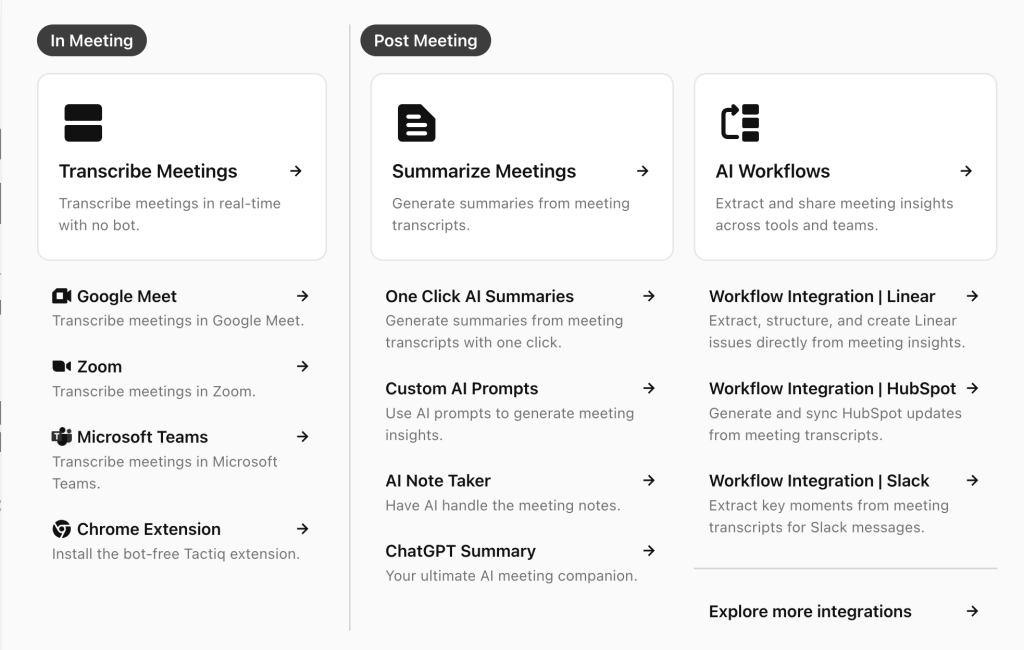
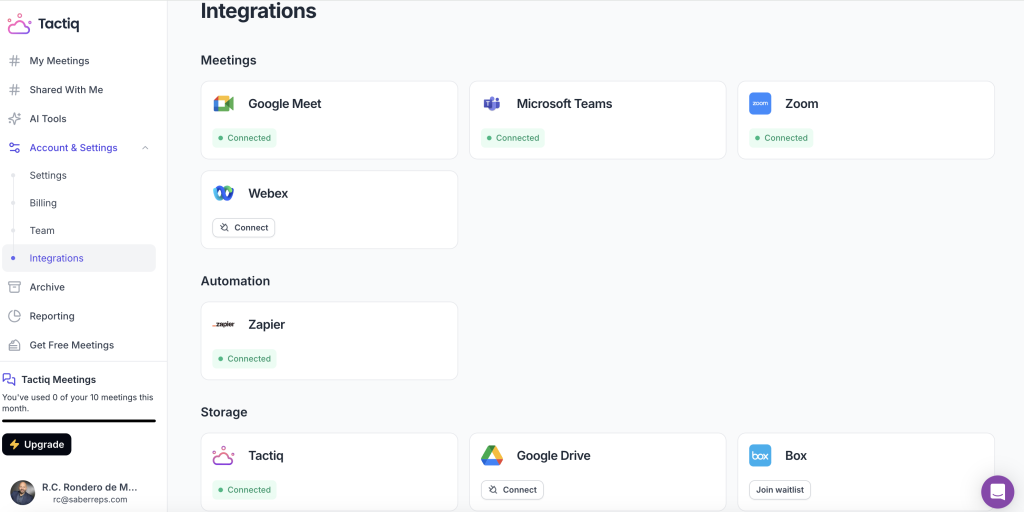
Tactiq integrates effortlessly with video meeting platforms like Zoom, Google Meet, and Microsoft Teams as well as automation & storage tools. Once integrated you have a very easy to navigate A.I. assistant sidebar in your video meeting. Click record and let the A.I. magic happen.
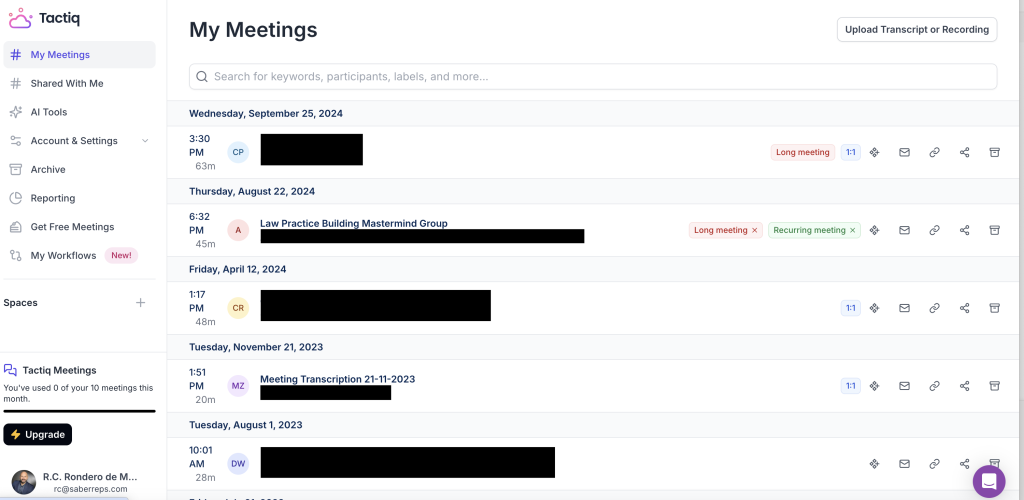
Tactiq features a very sleek user experience. If have used the tool you’ll see prior meetings listed out. Tactiq runs in the background of any of your online video meetings. Once concluded, you see your meetings listed out and can take advantage of the A.I. features.
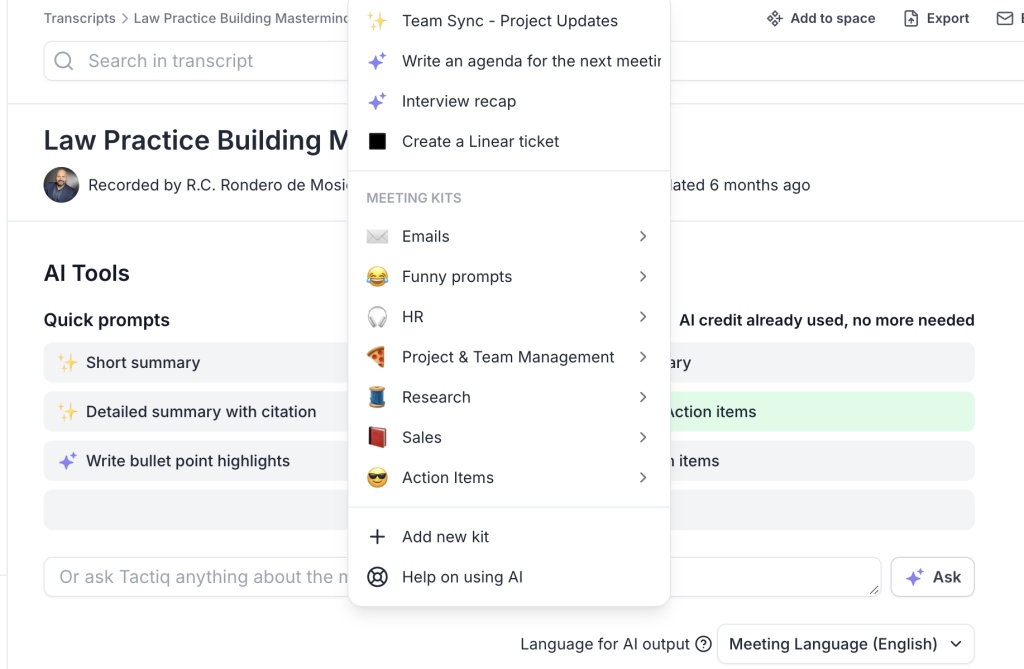
Click into one of your meetings and you can see all of the A.I. assist options afforded to you. You can use the quick prompts or view all the prompts available to you. I use Tactiq’s A.I. capabilities to analyze my meeting conversations and automatically generate action items. These tasks can be customized, assigned, and prioritized directly from the meeting transcript, ensuring that important follow-ups are not missed. I have found the summaries to be on point.

Tactiq’s pre-populated quick prompts are the most commonly used. But you can go further and choose from a number of other A.I. assisted prompts, which are quite exhaustive. And just in case you find them to be lacking, you have the ability to customize Tactiq’s prompts with custom templates and even workflows (more below).
There additional standout features I like in the default meeting dashboard that I think are some of the best I have seen. Tactiq allows you to capture and share screenshots during meetings. These screenshots are automatically saved within the meeting transcript, providing visual context alongside the text. This feature is particularly useful for referencing specific moments or visual aids (Powerpoint) presented during a meeting. And as with some of the better transcription tools out there, you can also get a summary of talk time by speaker, which I always find useful to know if I’ve dominated a conversation too much.
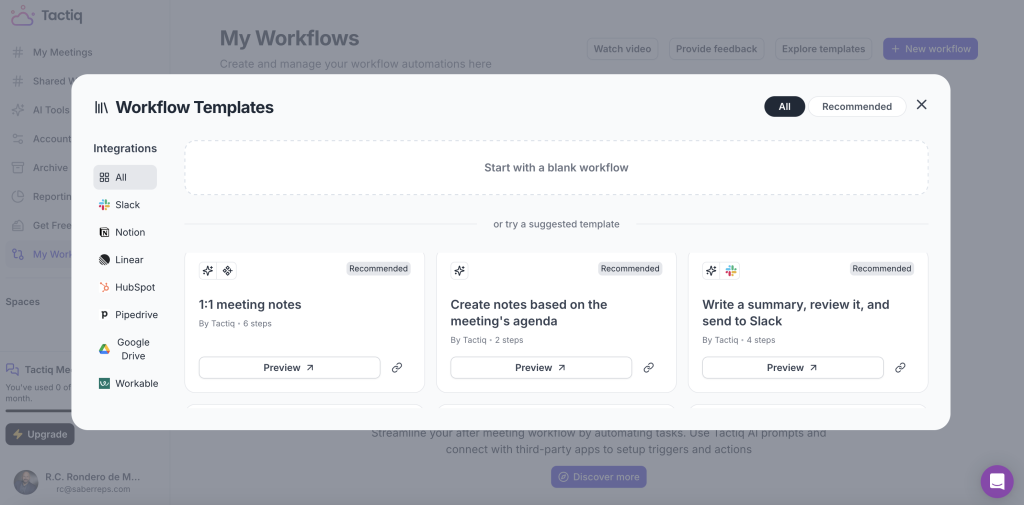
Something that sets Tactiq apart from many other tools is the Workflow feature. This A.I.-driven tool isn’t just about transcription; it’s about taking the insights gleaned from your meetings and seamlessly integrating them into your existing workflows. It intelligently identifies the relevant information, structures it using customizable templates, and distributes it to the right people through integrations with tools like Slack, Linear, and HubSpot. With Tactiq’s Workflow feature, those tedious post-meeting tasks, like crafting follow-up emails or updating project statuses can be automated. I’ve been highly impressed by this feature in particular.
Tactiq is a powerful AI-driven meeting assistant that offers a range of features to enhance productivity that I believe go beyond a number of other tools on the market. The uses cases are so numerous, that frankly I can’t do it all justice in just one review. And so I want to call your attention to Tactiq’s YouTube channel. I have mentioned in previous reviews that I think something that sets apart many tools is the depth and comprehensiveness of YouTube product channels. Tactiq has gone to great lengths to have a robust library of feature walkthroughs that are quick and easy to understand. If you are debating using Tactiq, I highly recommend you check it out for yourself
Pricing & Plans
Tactiq offers a unique pricing structure. They price based on transcriptions and use of the A.I. features. You can try it out for free (what a deal!). The free tier will allow you to transcribe 10 meetings and use 5 A.I. features within one month—perfect for testing the waters or handling occasional use. For more frequent users, the Pro plan costs $12 per month and provides unlimited transcriptions and usage of the A.I. features 10 times. If you don’t want to have a limit on the A.I. features, you can subscribe to the Team plan for only $20 per month. I feel as though the Team plan i a fantastic deal at the price. And for larger enterprise-level clients, Tactiq offers custom pricing plans tailored to organizational needs. I think it’s worth it just to try the free plan and see how you like it
What Makes It A.I. Enabled?
Tactiq harnesses the power of generative A.I. to revolutionize the meeting experience, transforming it from a simple transcription tool into an intelligent, proactive assistant. Tactiq leverages Microsoft Azure OpenAI’s enterprise API (ChatGPT) to deliver its suite of AI-driven features. Tactiq’s A.I. engine is the backbone of its transcription accuracy, leveraging natural language processing (NLP) to distinguish between speakers, adapt to varying accents, and produce highly readable text.
Security & Privacy
Given the sensitive nature of legal conversations, Tactiq’s security features will appeal to you. The platform uses end-to-end encryption to safeguard your meeting data and complies with GDPR standards for data privacy. The Law firms handling particularly sensitive information will be happy to know that Tactiq does not use customer data to train or improve its A.I. models. . Notably, Tactiq does not store your transcripts indefinitely.
The Judgement
Tactiq is a game-changer for legal professionals seeking to streamline their meeting workflows and improve the accuracy of their documentation. With its intuitive interface, robust AI-driven transcription capabilities, and affordable pricing, it’s hard to find a reason not to give it a try. Tactiq earns high marks for its practicality, efficiency, and thoughtful design. For law firms looking to capture conversations without losing focus on the matter at hand, this AI assistant is well worth a closer look.
Have Feedback?
I’ve reserved a special space each week for you to vent, supplement with relevant info, or ask questions about the product. The only way the content gets better is if you participate. I look forward to hearing from you! You can e-mail me at rc@sabersolutions.co.