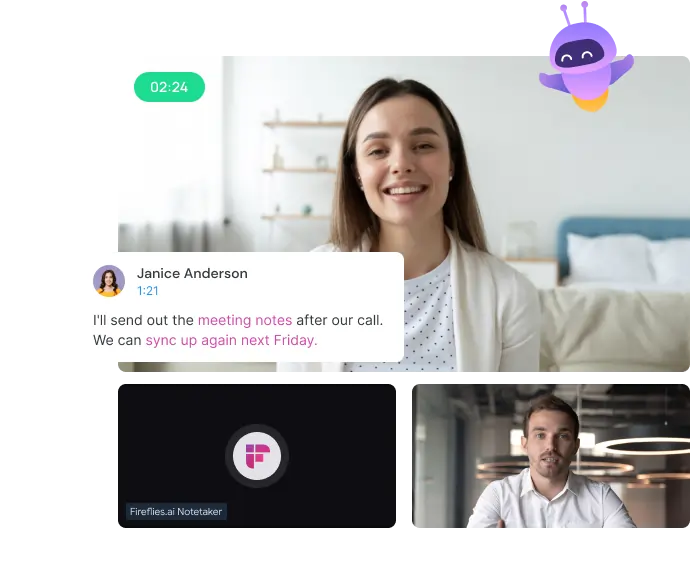
Fireflies.ai is designed to save you from the drudgery of manual note-taking during meetings. In a world where every 6 minutes counts, why spend time scribbling when an AI can do it for you? Plus, it doesn’t need a coffee break!
Favorite law firm use cases: Capturing, transcribing, and organizing meeting notes for internal meetings and client consultations.
Features & Functionality
Fireflies.ai is your new AI-powered meeting buddy that hops on your calls, transcribes conversations in real-time, and even gives you a neat summary. It’s like having an overachieving intern, minus the caffeine addiction. You can search, analyze, and share your meetings with ease, ensuring nothing slips through the cracks—ideal for those juggling more cases than they have hours in the day.
As someone who’s become a Fireflies.ai aficionado, I can say this software has revolutionized my client communications and meetings. The AI-powered transcription is a real game-changer, seamlessly integrating with all major meeting platforms (Zoom, Teams, Google Meet) and providing real-time, accurate transcriptions that I can reference post-meeting. But you might be thinking, “I can already record in [insert your preferred meeting platform]” True, you can, but Fireflies.ai takes it up several notches with impressive insights and advanced search functionality.
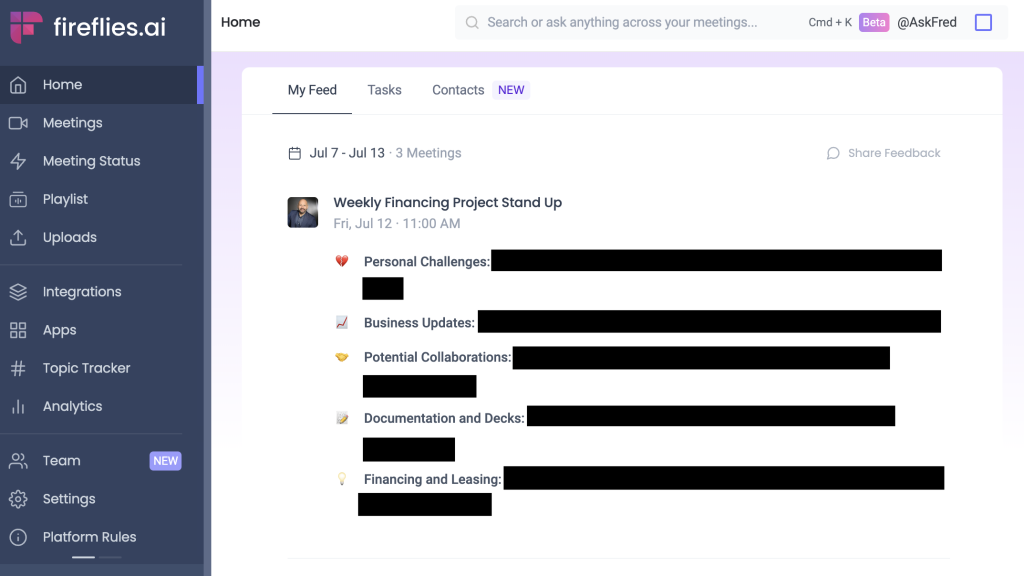
For example, check out the Fireflies dashboard. Not only is it easy to navigate, but it also gives you a summary of topics discussed in your recent meetings. It’s designed to go way beyond basic transcription.
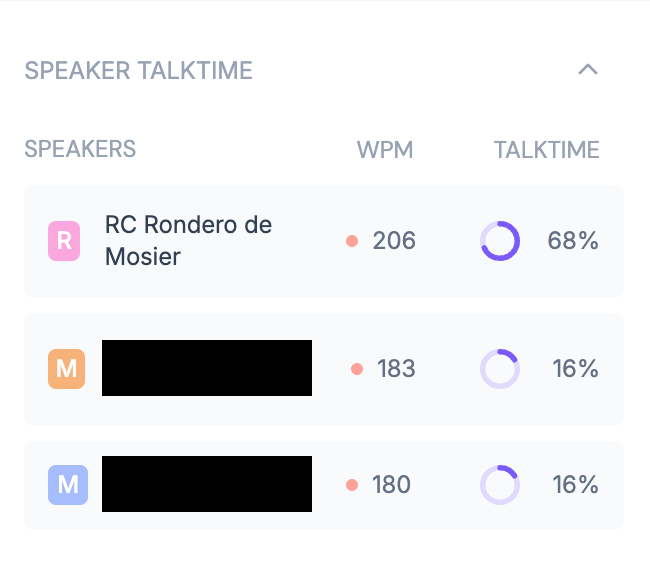
One of my favorite nifty features is the speaker talk time tracking. If you know me, you know I’m a talker. Whether it’s internal meetings or client communications, sometimes listening is more productive than talking. Here’s a snapshot of a conversation where I was training clients on intake process improvements. Reflecting back, I realized I dominated the discussion. In the next meeting, I cut my talking time down by 20% and found it to be a much more productive meeting.
Pricing & Plans
Fireflies.ai offers a smorgasbord of pricing plans, starting with a free tier that gives you 800 minutes of transcription per month. It’s worth signing up just for a spin! Paid plans, like Pro and Business tiers, unlock unlimited transcription, advanced integrations, and team collaboration tools. Prices start at $18 per user per month for the Pro Plan, with a custom Enterprise plan for larger firms. I’m currently on the $29 per user per month Business Plan, but I’m considering scaling back to Pro because it has all the features you need to make the product useful.
What Makes It A.I. Enabled?
The AI behind Fireflies.ai is built on machine learning models designed for speech-to-text and natural language processing. It gets smarter with use, learning from the diverse accents and speech patterns of your firm’s staff and clients. It’s basically the Hermione Granger of AI transcription tools.
Security & Privacy
Given the sensitive nature of legal work, security is a big deal for any meetings where privileged information is being discussed. Fireflies.ai ensures your data is encrypted both in transit and at rest. But the million-dollar question remains—does Fireflies.ai use your data to train its AI models? According to their privacy policy, data is anonymized before it’s used to improve the system. They claim to follow stringent data protection measures, but lawyers should remain vigilan, especially when dealing with privileged client information. Is this different from other AI-enabled transcription tools? Not really. But Fireflies does specifically address whether user data is used to train their AI models. They vehemently claim they do not. I found their FAQ regarding data privacy to be on point and addressed any concerns I had for use in the legal services context.
The Judgement
Fireflies.ai is not just a transcription tool. It’s a powerful product for legal professionals who want to focus more on being present in a meeting rather than splitting your attention between note taking and conversing. And it meets my privacy and security needs. I recommend taking it for a test drive.
Have Feedback?
I’ve reserved a special space each week for you to vent, supplement with relevant info, or ask questions about the product. The only way the content gets better is if you participate. I look forward to hearing from you! You can e-mail me at rc@sabersolutions.co.