This week we turn to a fun product that won’t help you be a better lawyer necessarily, but it will give you the assist you need to up your creativity game. 😊SketchWow is a user-friendly diagramming software that stands out for its unique hand-drawn aesthetic and intuitive interface. It’s simple and easy to use. Whether you’re trying to create a visual aide for trial, a process workflow chart, a visual to spice up that blog post, or some fun content for your firm’s social media channel, SketchWow aims to revolutionize how professionals bring ideas to life. As lawyers, we often feel we lack a creative skillset (I know I do), but thanks to A.I., that limitation is a thing of the past. With its AI-driven design assistant, SketchWow bridges the gap between conceptualization and execution, delivering polished visuals without requiring you to be a design wizard.
Favorite law firm use cases: Creating mindmaps, infographics, flowcharts and visual summaries for use internal firm use, for courtroom visuals, marketing or social media and website content.
Features & Functionality
SketchWow distinguishes itself in the realm of creative software with an impressive array of features that cater to both novice users and seasoned professionals. At its core, the software offers an intuitive, user-friendly interface built around an infinite canvas that provides ample space for creativity. The drag-and-drop functionality makes it easy to arrange elements, while the hand-drawn aesthetic gives every creation a unique, engaging look. SketchWow is the first item I’m reviewing that requires you to have an OpenAI (ChatGPT) license to connect to the product for us. I’ll speak to that later on.
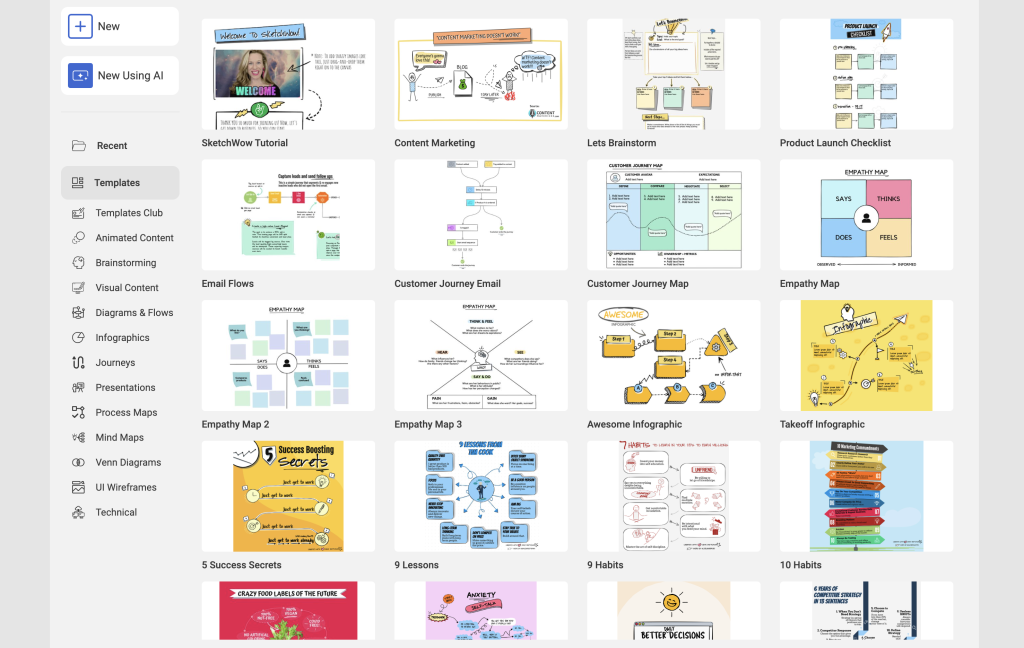
SketchWow is a very simple desktop based app that you can download to Mac or Windows. Once you open up the program you immediately see a number of templates from which you can choose to customize your own visual. Or you can get started from scratch and try to design freehand (or digitalhand?).
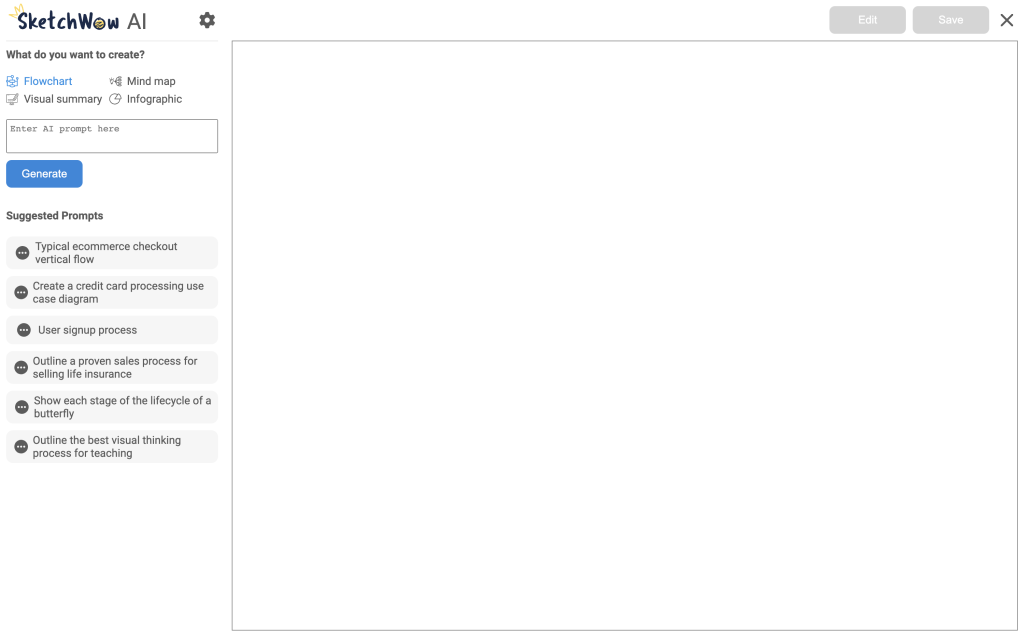
But, since this is an A.I. focused newsletter, I will only focus on the SketchWow A.I. feature, which, is impressive enough on its own, especially to get started. Head to the SketchWow A.I. option to the left you will head to a blank canvas. From there you see 4 options for diagrams to create: Flowchart, Visual Summary, Mind Map and Infographic. For each of those options you will be given suggested prompts to get the creative juices flowing. For this review I used each option with a law practice use case.
I started with the Visual Summary option. The A.I. will generate a visual based on your prompt. Now, don’t expect the visual to be customized exactly for you, but as I always say, the first draft is the hardest. With a simple prompt SketchWow will feed that through OpenAI and deliver to you what it thinks you want. You will be presented with a number of template designs. Then you can inspect the output and reword as needed. From there I chose a random one. I ask SketchWow to generate a visual aide that I would hypothetically use in a blog or on social media showing the steps to take to preserve your rights in the event you are in an accident.


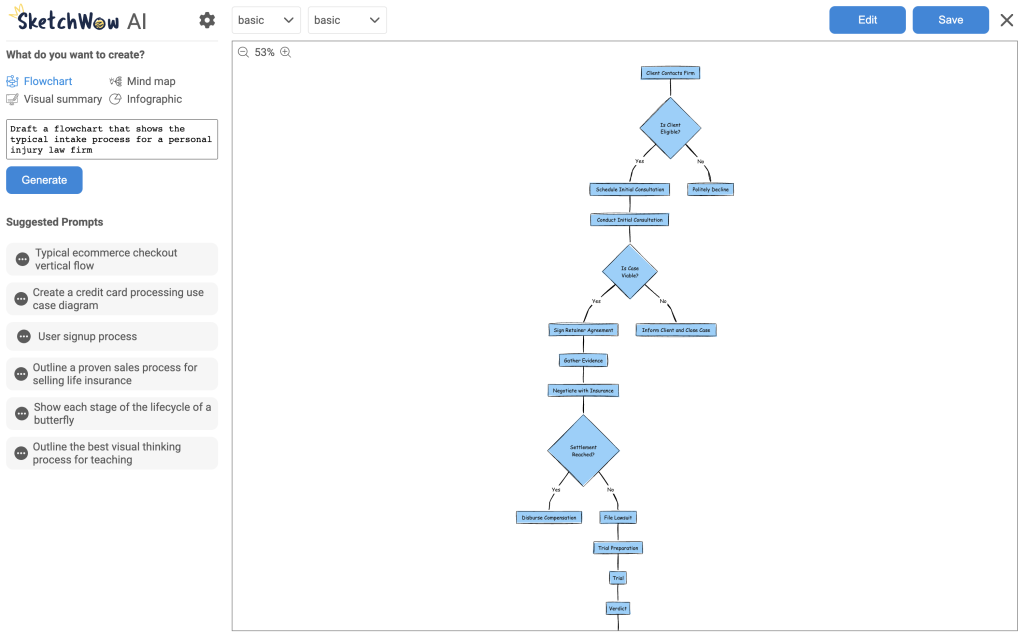
I moved on to the Flowchart design which is rather self explanatory. The A.I. will generate a flowchart based on your prompt. As with the Visual Summary, don’t expect the flowchart to be customized exactly for you, but it is a great starting point in this case. From there you can manually drag drag and drop the designs and words around as needed in a very easy way, similar to moving images around in PowerPoint. Here I asked for a flowchart that shows the intake process for a personal injury law firm. In my time consulting for law firms I often see training materials that could use a visual aid.
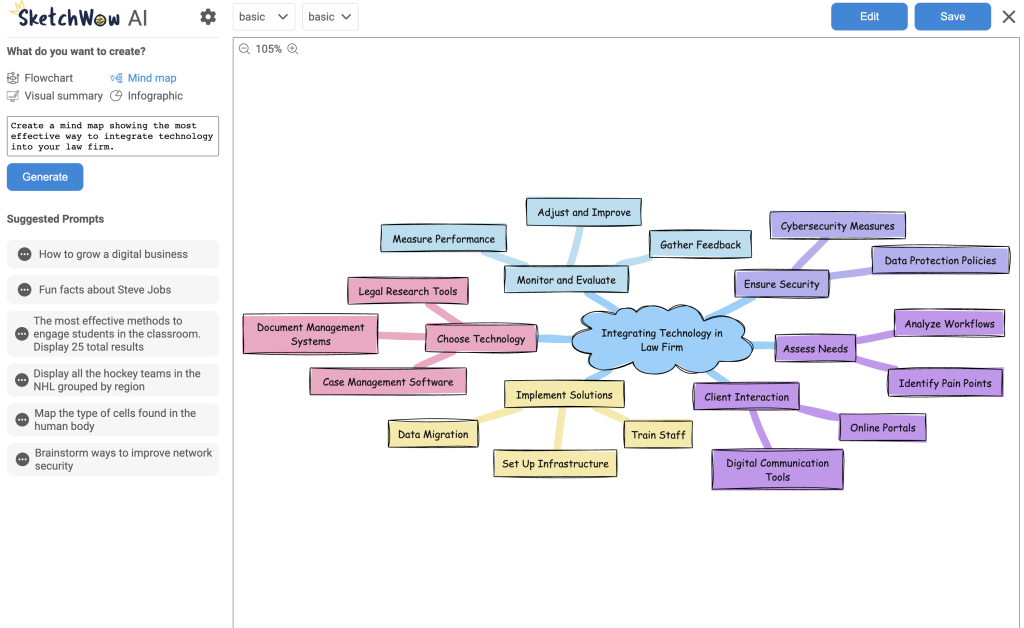
Next I turned my attention to the Mind Map. In this case I prompted the system to create a mind map that shows an effective way to integrate technology into your law firm.
I rounded out the testing with the final option, the Infographic. I personally love a good infographic for LinkedIn posts or blogs. Or material you might have in your office for potential clients. I prompted a request for an infographic showing elements of a fair use defense in copyright. And it performed quite well (for not being a legal specific product).

I want to reiterate that in order to use SketchWow’s A.I. generator, you will need to enter a an OpenAI key into the settings. What does this mean? You will need to set up a ChatGPT account if you don’t have one yet. Then you set up an API Key. It may seem overwhelming, but it is pretty easy to do. And you can still get an API key with a free ChatGPT account. Copy and paste the API key into your SketchWow settings and you are all set.
SketchWow combines ease of use with professional-grade design capabilities, offering many templates, intuitive drag-and-drop tools, and, most importantly, the A.I.-enhanced creativity. It’s not a complicated program and when you see the pricing below it’s great value. I really only featured the A.I. capabilities, but if you like to be more hands on it has great functionality.
Pricing & Plans
SketchWow offers two pricing options and one is a no brainer. You can subscribe monthly for $39/mo. That’s not super attractive considering it is a good tool, but nothing like Canva or Adobe. But in what is a bid for adoption, they have a lifetime license you can purchase for just $10 more. Yes, you can get the full license for a one time payment of $49. It’s great to just have on hand. If not for you, then for an intern or clerk who might help you with content creation. I bought a lifetime license and use it at least a couple of times a month.
What Makes It A.I. Enabled?
SketchWow’s A.I. capabilities are enabled through its integration with OpenAI’s large language model, ChatGPT. Users need to connect their SketchWow account to an OpenAI account to access the AI features. So really, you are using the A.I. features OpenAI possesses. If you pay for a ChatGPT account, you can turn off the option to allow OpenAI to train its model off of your data. Then you can feel safe knowing that none of your data is being shared if it is confidential. The integration with ChatGPT allows SketchWow to leverage OpenAI’s API for generating various types of visual content based off of your prompting.
Security & Privacy
SketchWow encrypts all user data in transit and at rest, adhering to GDPR standards standards. Legal professionals should be cautious when uploading sensitive confidential information unless they have turned off the ChatGPT feature mentioned above. It is a rather simple program in which you will likely not have the need to store sensitive information, so feel risk is minimal.
The Judgement
SketchWow stands out as a powerful tool for visual communication, striking a delicate balance between professional polish and approachable charm. It’s the digital equivalent of a skilled illustrator who can transform your ideas into captivating visuals on the fly. For those looking to break free from the monotony of traditional presentation software and inject a dose of creativity into their work, SketchWow offers a compelling solution that’s both effective and enjoyable to use. Whether you’re a seasoned designer or a novice doodler, SketchWow provides the tools to turn your thoughts into eye-catching diagrams in a world where visual communication is increasingly crucial
Feedback
I’ve reserved a special space each week for you to vent, supplement with relevant info, or ask questions about the product. The only way the content gets better is if you participate. I look forward to hearing from you! You can e-mail me at rc@sabersolutions.co.