Have you ever walked out of a meeting thinking, “How am I supposed to remember all of that?” Don’t worry, you’re not alone. Otter is designed exactly for that: to help you capture and organize conversations simply and efficiently. Whether it’s during client meetings, strategy sessions, or internal calls, it turns spoken words into searchable notes and clear summaries that you can actually use. It’s a practical way to save time, be more present, and collaborate better, without the stress of scrambling to take notes.
Favorite law firm use cases: Capturing, transcribing, and organizing meeting notes and client consultations. It turns conversations into actionable summaries and makes it easy to search for key information, enhancing productivity and collaboration within the legal team through automated workflows and A.I. assistance.
Features & Functionality
Taking notes in client meetings used to be one of the most stressful parts of my day, especially in long client meetings where losing a single detail could mean hours of follow up afterward. But since I started using Otter, that pressure disappeared. This tool does something very simple but very powerful: it listens for you. And it does it very well.
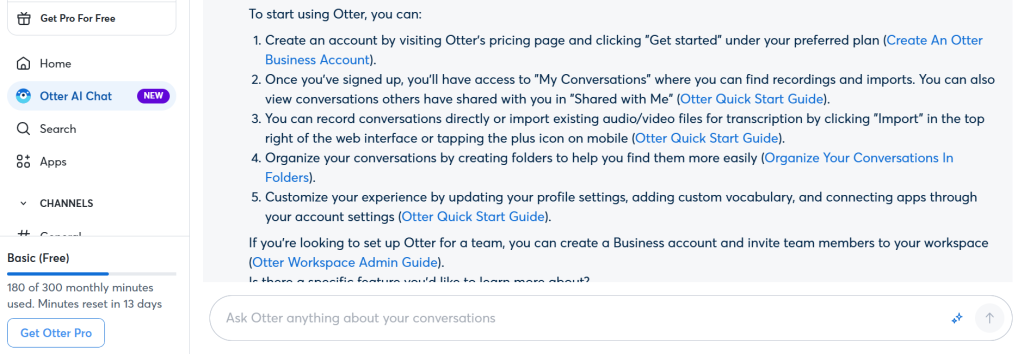
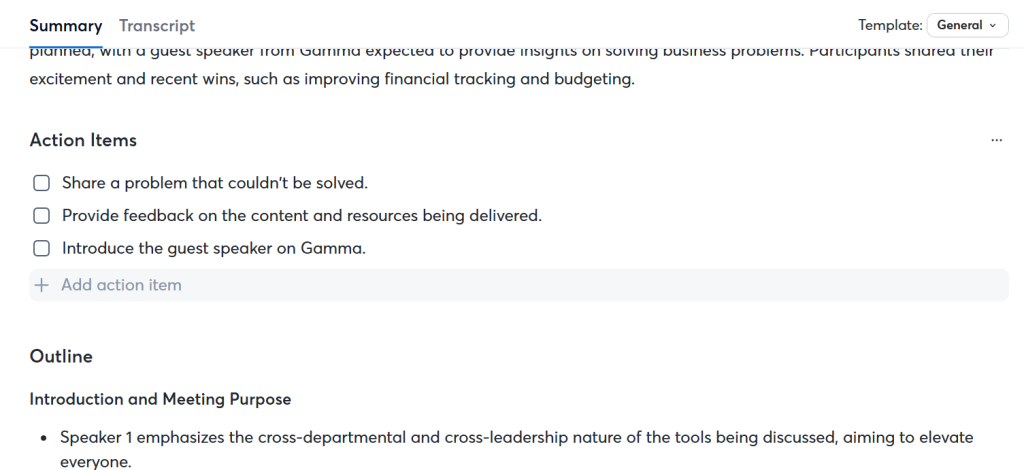
What impressed me first was the accuracy of the real time transcription. It’s like having someone next to you quietly typing everything while you can stay completely focused on the conversation. When it’s over, Otter even generates an automatic summary with the key points. Perfect for those days with back to back meetings.
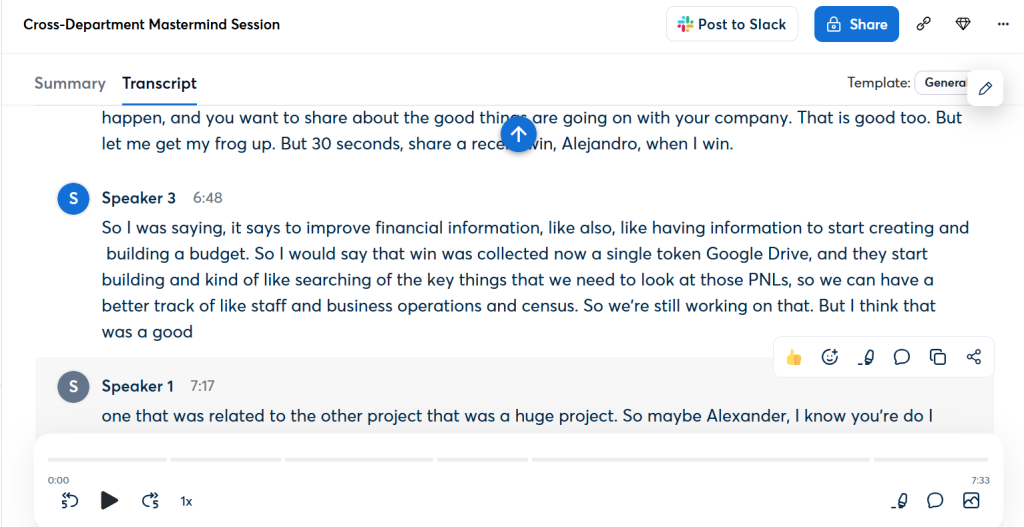
The platform is clear and easy to use. Everything is well organized as soon as you log in. You can search through your transcriptions like you would on Google, highlight what’s important, and pull out quotes or tasks with just one click.
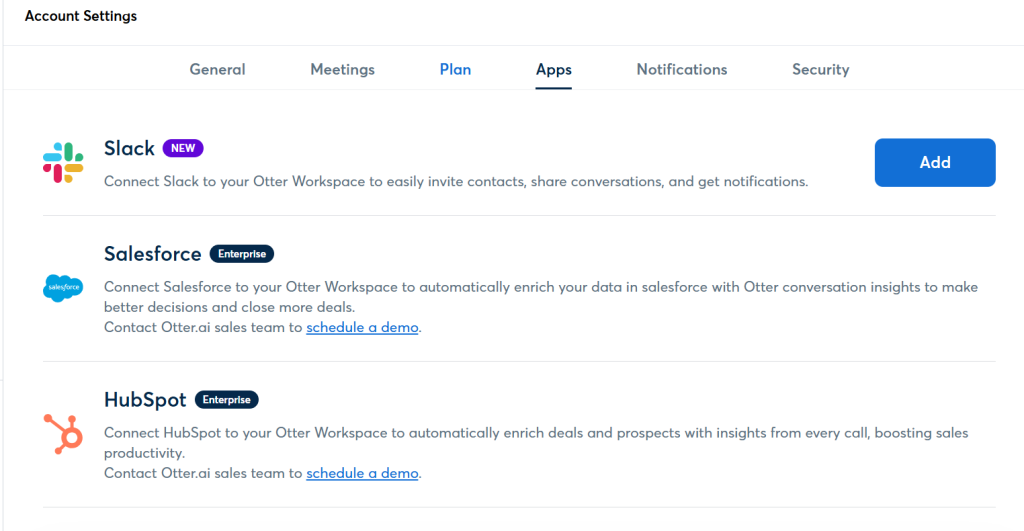
And the best part: it integrates smoothly with tools I already use. I connected it with Zoom, Google Meet, and Microsoft Teams, so I can record directly from my video calls. It also syncs with Google Drive, Dropbox, and Slack, so it fits perfectly into my workflow without having to switch between apps.
I use it to quickly summarize tasks after meetings, draft minutes, write follow up emails, or review details without having to listen to endless recordings. It’s one of those tools that works in the background, but makes a big difference in your productivity. Once you try it, you won’t want to let it go. Want to see how it works? They have a demo video that shows you everything in action clearly and directly. It’s a great way to see its true value.
Pricing & Plans
Otter offers a pretty generous free plan: 300 transcription minutes per month. Ideal if you’re just starting or if you only need it occasionally. For those who manage many meetings, paid plans start at $8.33 per month. The good thing is that the prices scale according to usage, so it works well for both solo practitioners and large teams. Compared to other similar tools, Otter is one of the most complete and accessible options you can include in your daily routine.
What Makes It A.I. Enabled?
Otter leverages advanced artificial intelligence technologies—including machine learning (ML), natural language processing (NLP), and automatic speech recognition (ASR)—to automate and enhance the process of transcribing, summarizing, and managing conversations and meetings. This allows Otter to transcribe in real-time with high accuracy, automatically recognize each speaker, and generate useful summaries without manual intervention. All of this happens automatically, allowing you to focus on the conversation while Otter organizes the information for you. It also has a powerful A.I. powered search function that lets you find any part of a conversation.
Security & Privacy
Otter understands the importance of confidentiality, especially in legal environments. That’s why it protects your information with enterprise level encryption, secure cloud storage, and compliance with regulations such as GDPR. Otter does refine its product with user data, meaning, your use of the product is used to improve the product. But, just like with most other A.I. products that care about security, Otter uses a proprietary method to de-identify user data before training its model so that an individual user and their data cannot be identified. However, this is just relating to Otter’s platform itself. No customer data is used to train or improve an A.I. Service Provider(s)’ artificial intelligence models/algorithms. This is a key detail for you. Otter’s A.I. Service Provider(s) do not store customer data sent through the API on their platform. Your data will not be used to train an A.I. model that Otter relies upon. You can read their detailed privacy and security FAQ here.
The Judgement
Otter is an essential tool for legal professionals looking to streamline their meeting workflows and improve the accuracy of their documentation. With its intuitive interface and powerful A.I. driven transcription capabilities, Otter allows legal teams to stay focused on the content of conversations without missing important details. Its seamless integration and automatic summary generation make it an effective and accessible solution for law firms looking to improve efficiency and organization in their day to day operations.
Have Feedback?
I’ve reserved a special space each week for you to vent, supplement with relevant info, or ask questions about the product. The only way the content gets better is if you participate. I look forward to hearing from you! You can e-mail me at rc@sabersolutions.co.