Ask most attorneys and they will likely tell you they are not a fan of meetings. Sure, we need them — but they’re rarely as productive as they should be. Worse yet, they end and you’re left with a vague sense that there were good ideas, assigned tasks, important decisions… and that all of it will be forgotten as soon as someone ends the video call. I used to think that with recordings and automatic transcriptions I was covered. Then, one day I tried searching a 45-minute recording for a client’s key comment about their budget and realized how much time I was wasting on that. That’s when I discovered Granola, and honestly, I don’t understand how I worked before without a tool like this.
Favorite law firm use cases: Perfect for note taking during virtual or in-person meetings where decisions are made, tasks are assigned, and important ideas are shared.
Features & Functionality
Granola is an AI-powered notepad and meeting assistant designed to help individuals and teams efficiently capture, organize, and act on meeting notes. Granola allows users to take their own notes during meetings, which are then enhanced by AI using real-time transcriptions of the conversation. The AI helps organize, summarize, and clarify points, turning raw notes into clear, actionable summaries. The first thing I loved about Granola was how easy it was to get started. You can install the desktop application, the browser extension or download the mobile app and within a minute you are up and running. No need to connect to your video conference application like Zoom, Google Meet, or Teams. And no need to explain that there’s an AI taking notes.
As soon as you join a meeting, Granola starts transcribing everything that’s said, in real time. You don’t have to hit ‘start’ or configure anything; it simply activates and captures every comment, so you can stay focused on participating without worrying about taking notes.
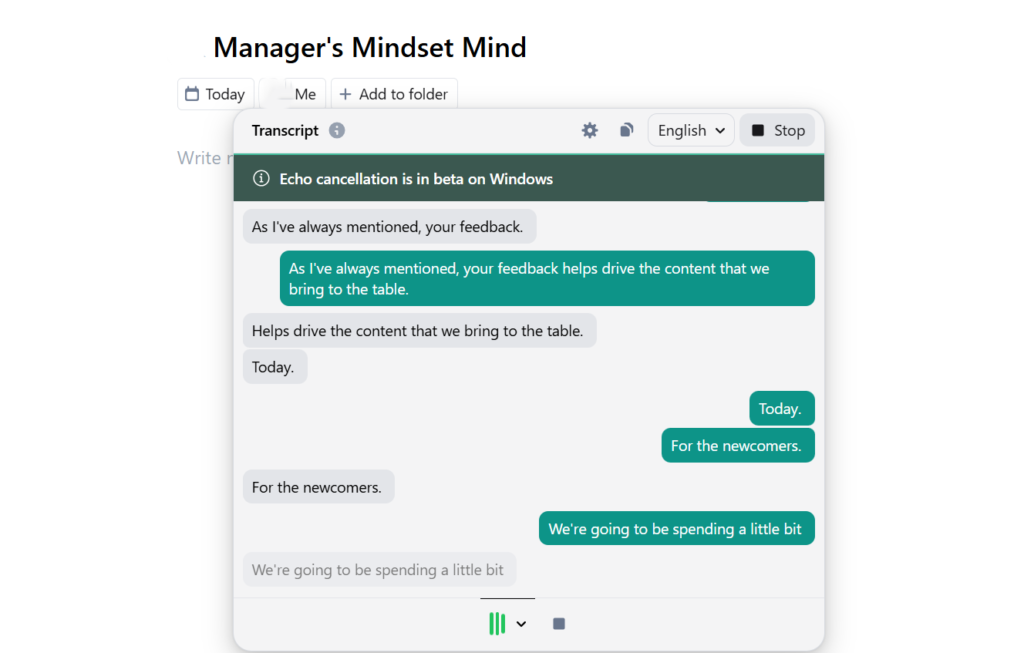
But the really interesting part comes afterward. Within minutes of ending the meeting, you receive a perfectly structured summary. It’s not a raw transcription like the ones video call platforms offer — it’s a clean recap that highlights decisions made, tasks assigned, pending topics, and the most relevant comments. It even tells you who said what, and when.
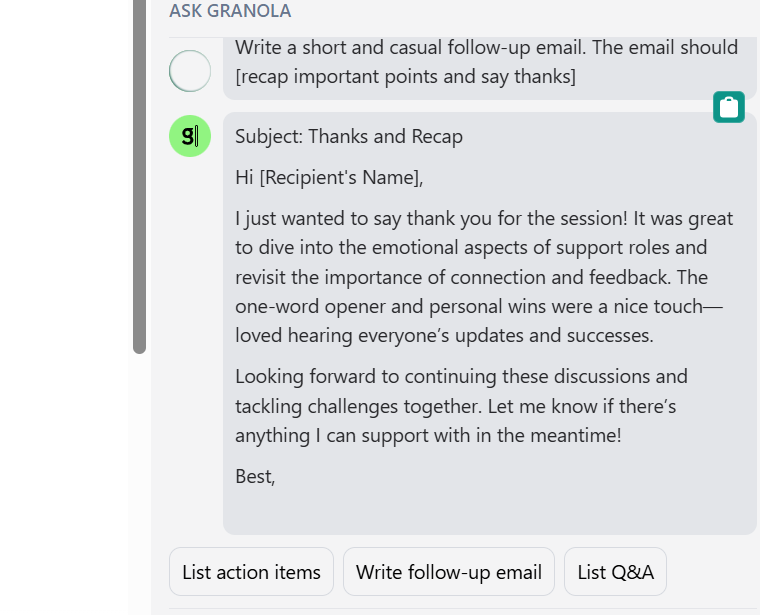
And —this truly surprised me— you can interact with Granola right from the summary. For example, after a meeting I asked it to write me a casual follow-up email to thank participants and recap key points… and within seconds, it delivered a polished draft with a subject line, personalized greeting, and a thoughtful closing. I just had to copy, paste, and send. Honestly, it saved me at least 15 minutes of mental effort.
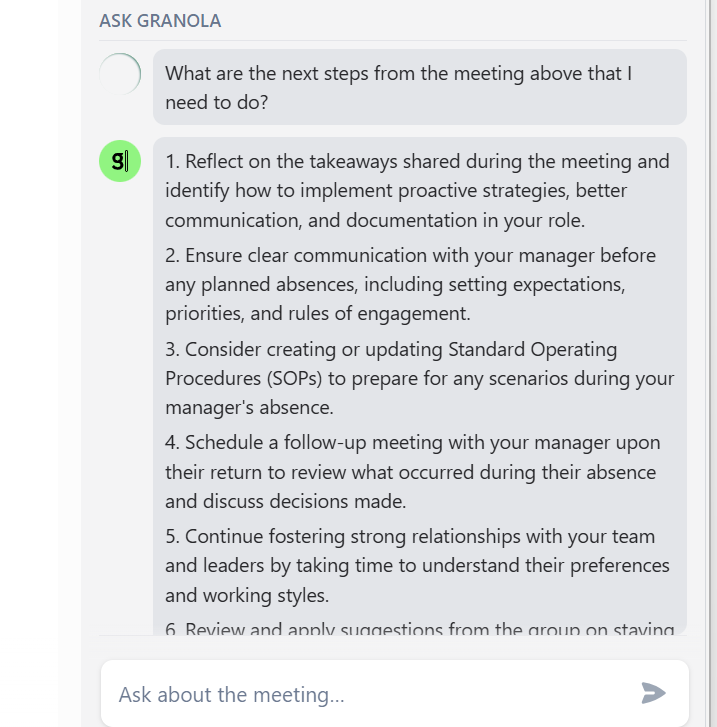
The tool organizes all that information in a very intuitive dashboard, where you can search any keyword and instantly jump to the relevant snippet, with its context and exact timestamp within the meeting. But it doesn’t stop there. If you have questions or want to clarify something after the meeting, you can type directly to Granola from the same summary. For example, I asked it what next steps I needed to take based on the conversation, and it gave me a clear, organized, and actionable to-do list. It’s like having a personal assistant that not only listens but also understands the context and helps you act on what matters.
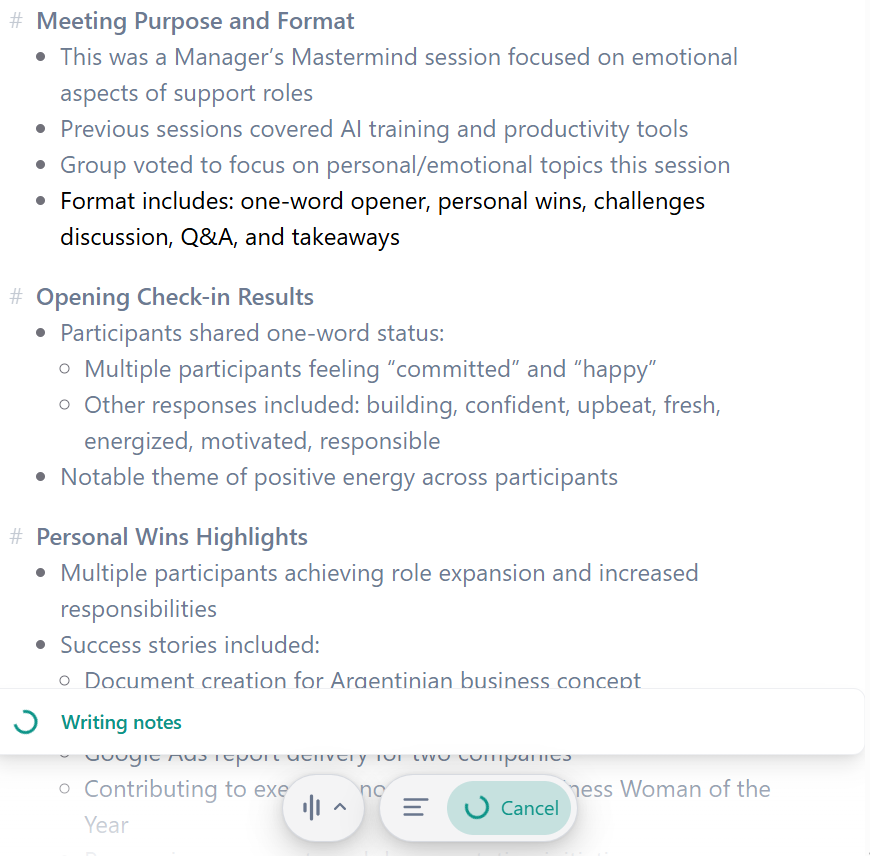
And here’s another bonus I discovered using Granola. Once the meeting ends, you can further enhance the notes the tool captured. You just click the Enhance Notes option at the bottom of the panel, and the AI automatically reorganizes the information, generating a cleaner, more structured summary with clear sections like purpose, attendees, key topics, next steps, and conclusions.
The best part is that you can customize the type of note you want to generate: whether it was an internal team session, a client meeting, or a project follow-up. In the image I’m sharing, you can see how the enhanced summary from one of my virtual meetings turned out — and it looks like it was drafted by hand. Granola doesn’t just transcribe; it understands the meeting dynamic and delivers a document ready to share or archive.
Granola has easily saved me between one and two hours a week of reviewing recordings, taking notes, and reconstructing to-dos. And more than once it’s helped me recover valuable ideas I would have otherwise forgotten.
Currently the desktop and mobile applications are only available on Apple devices and the Google Chrome browser extension. So the options are a bit limited, but if you use Chrome or an iPhone you can take it for a spin.
Pricing & Plans
Granola offers a free version that lets you record and summarize up to five meetings per month — perfect for testing how an AI tool can optimize your meeting management, no strings attached. If it works for you (and it usually does, quickly), you can upgrade to the Professional Plan for $18 USD per month, which includes unlimited meetings, structured summaries, automatic task and decision categorization, and access to its smart search feature. For teams, there’s a Business Plan at $14 USD per user per month, offering collaborative tools, shared workspaces, and advanced reporting options. And for larger organizations, Enterprise Plans start at $35 USD per user per month, with custom integrations, enhanced security controls, and dedicated support. More than the price, what really matters is the time and opportunities you recover: a single saved idea or a task remembered on time can easily justify that monthly investment. Plus, you can start for free and decide later if it’s worth it — no commitment.
What Makes It A.I. Enabled?
Granola is truly AI-powered because it goes beyond simple transcription by using advanced language models like GPT-4o to deeply understand the context of your meetings, identify key decisions, tasks, open questions, and discussion highlights, and generate personalized summaries tailored to your unique priorities and work style. Its AI continuously learns from your interactions, adapting to different meeting types—whether sales calls, interviews, or team check-ins—and collaborates with you by enhancing your own notes into structured, actionable insights. Operating seamlessly on your device with full transparency, Granola ensures your data remains secure while providing intelligent follow-ups and easy access to original transcripts. This combination transforms every meeting into an efficient, insightful resource that saves you time, boosts productivity, and guarantees that nothing important is overlooked.
Security & Privacy
Whenever I use a tool like this in meetings where sensitive data is shared, the first thing I check is how it protects that information. Granola’s clear, strict, and transparent privacy policy puts my mind at ease. It uses end-to-end encryption to protect your meeting data, both in transit and at rest. Plus, Granola doesn’t let third-party providers like Open AI or Anthropic use your data to train their models. Every user can opt out of having their data used for Granola’s model training in their account settings. If you forget, Granola anonymizes your data. I appreciate their transparency about these standards. For enterprise customers, opting out is the default setting for the entire organization. All meeting content, summaries, and transcriptions remain private and only accessible to you and your authorized team members. The platform also offers advanced security options for organizations that need to comply with stricter standards and custom data management protocols. In short, your conversations stay private, and your data isn’t used to improve third-party models or AI systems.
The Judgment
If you spend more than three hours a week in meetings, you should give Granola try. It won’t reduce the number of meetings you have, but it will guarantee that every single one leaves behind tangible value. No more forgotten tasks, no more “who was supposed to handle that?”, and no more ideas lost in the air. It’s one of those tools that, once you try it, you won’t want to work without it. My advice: start with the free version. Test your next important meetings with Granola and see how much time, clarity, and peace of mind it saves you. You’ll wonder how you ever worked without it.
Have Feedback?
I’ve reserved a special space each week for you to vent, supplement with relevant info, or ask questions about the product. The only way the content gets better is if you participate. I look forward to hearing from you! You can e-mail me here.