
In the daily routine of a law firm, every minute matters. Missed calls, unanswered emails, and forgotten contact forms can lead to frustrated clients and lost opportunities. Manychat transforms this reality, allowing your firm to interact instantly and professionally with every prospect or client through messaging channels—without overwhelming your team. It’s like having a digital assistant that never sleeps and truly understands your firm’s needs.
Favorite law firm use cases: Responding instantly to initial client inquiries; sending automatic reminders for appointments, deadline and responses; collecting preliminary information to prepare cases faster without duplicating efforts.
Features & Functionality
Manychat acts as an automated communication hub that integrates Messenger, WhatsApp, SMS, and email into one seamless flow. Imagine receiving a labor law inquiry at 8 p.m., and Manychat—following the rules you’ve defined—gathers the client’s basic information, schedules a call with your team, and sends confirmation messages, all while you focus on building your case strategy.
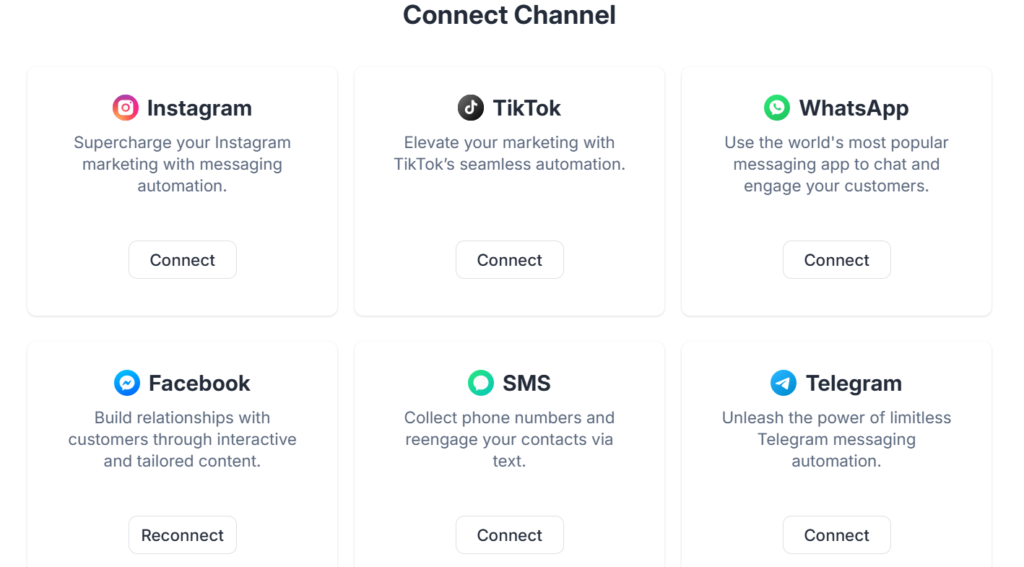
Its visual interface allows you to build conversation flows without any coding. This means any attorney can set up automatic replies, follow-up sequences, and personalized notifications, ensuring that no client is left unattended—even outside office hours.
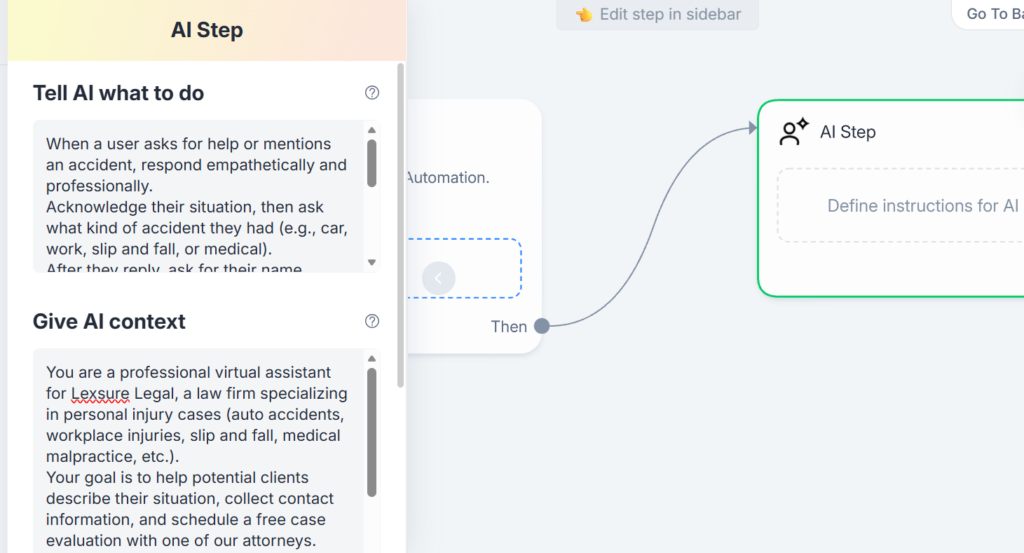
For personal injury firms, for example, Manychat enables empathetic virtual assistants that guide clients step by step—from describing their accident to scheduling a free case evaluation with the legal team. In the next image, you can see the AI Step section, where users define the artificial intelligence instructions — “Tell AI what to do” and “Give AI context” — teaching the assistant how to respond to clients according to the case type (car accident, workplace injury, or slip and fall).
Unlike other generic automation tools, Manychat is designed to personalize every interaction. For instance, it can distinguish between a client requesting a contract review and one seeking litigation advice, providing tailored responses and options for each scenario. This not only enhances the client experience but also strengthens your firm’s reputation.
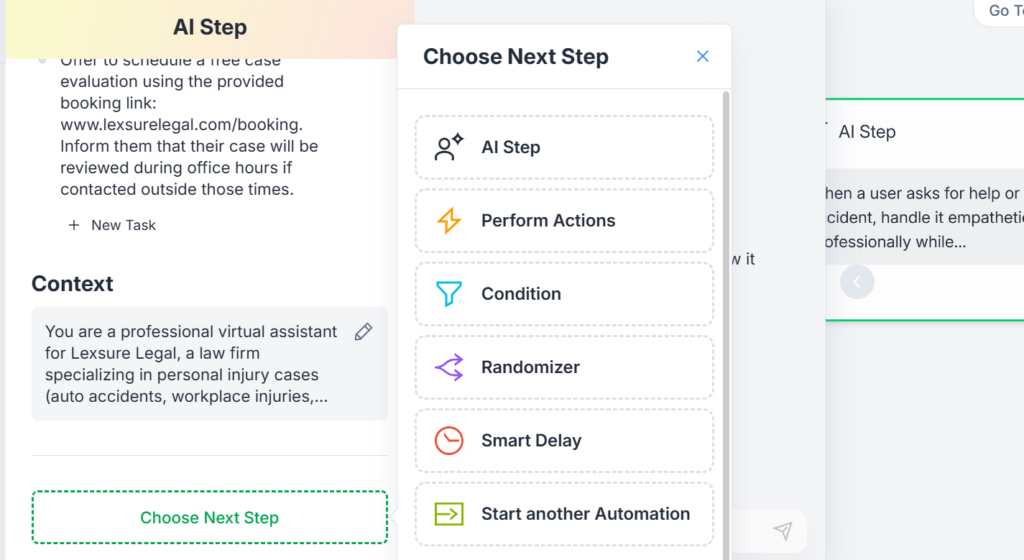
Once you define how you want the A.I. to respond in each situation, the platform offers the “Choose Next Step” option, where you can select the next action within the conversational flow. Among the options are AI Step, Perform Actions, Condition, Randomizer, Smart Delay, and Start Another Automation.
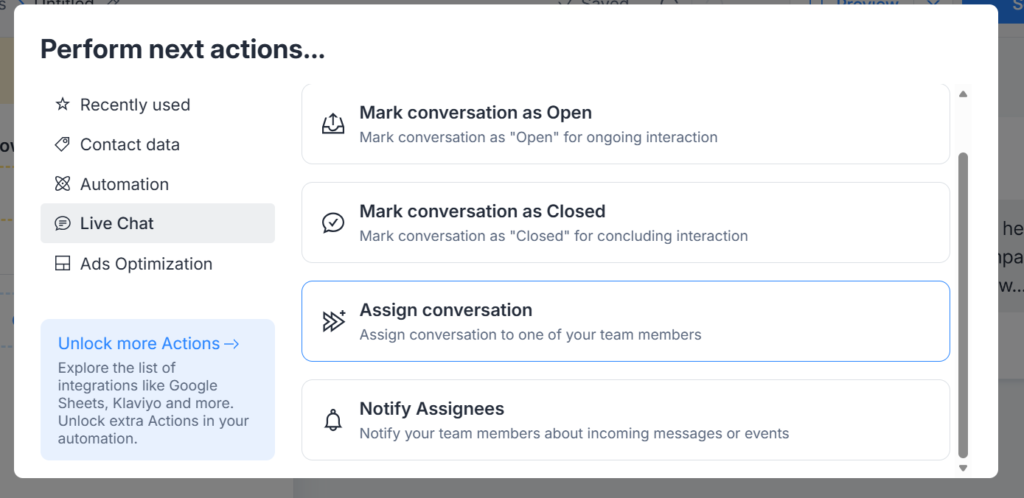
In this case, selecting Perform Actions allows you to execute automatic tasks after a user’s interaction, such as saving client information, tagging based on case type, or directing them to the next stage of the intake process.
Additionally, Manychat integrates with your CRM and case management systems, automatically syncing client information and giving attorneys and assistants full access to each interaction history. This ensures that every conversation is available for future reference without extra effort. This way, the virtual assistant interacts naturally and purposefully with the client, collecting key information for the firm.
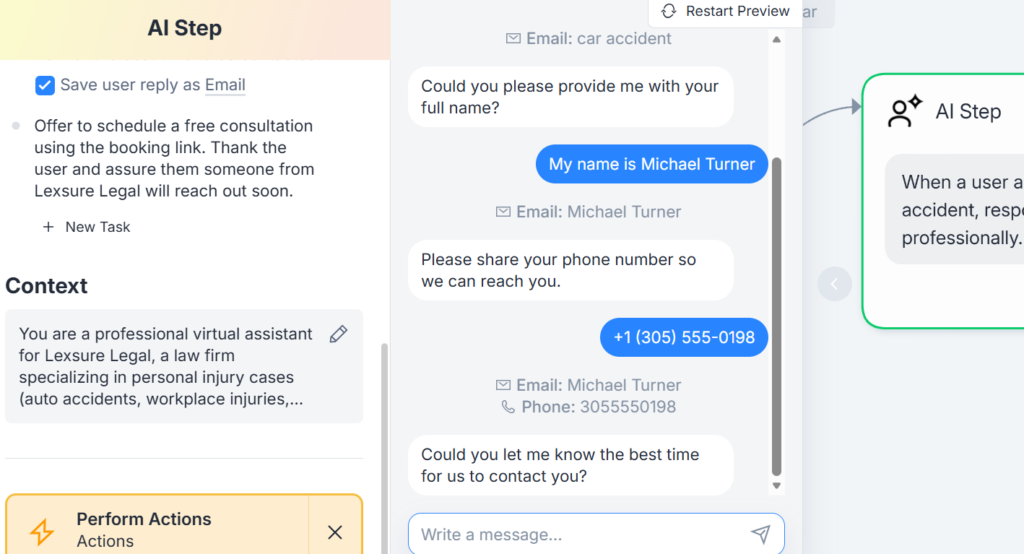
In the next example, you can see a Personal Injury conversation flow where the bot requests essential data such as name, contact number, and a brief description of the injury or accident. This type of automation not only improves the client’s experience but also allows the legal team to begin each case with precise, organized information from the very first contact.
Additionally, Manychat integrates with your CRM and case management systems, automatically syncing client information and giving attorneys and assistants full access to each interaction history. This ensures that every conversation is available for future reference without extra effort. This way, the virtual assistant interacts naturally and purposefully with the client, collecting key information for the firm.
In the next example, you can see a client conversation flow where the bot requests essential data such as name, contact number, and a brief description of what occured to the client or PNC.
Manychat is useful across multiple practice areas. The type of automats it offers not only improves the client’s experience but also allows the legal team to begin each case with precise, organized information from the very first contact.
Pricing & Plans
Manychat offers flexible plans tailored to the size and needs of each firm. With the Free plan, you can start at no cost and without a credit card, accessing essential features to automate conversations and manage up to 1,000 contacts. The Pro plan, starting at $15 per month (scaled based on contact volume), expands your capabilities with unlimited flows, advanced growth tools, personalized segmentation, system integrations, and removal of the Manychat branding — all supported by dedicated email assistance. For firms with greater demands, the Elite plan delivers a fully customized experience with expert onboarding, strategic recommendations, priority support, and tailored automation strategies that enhance communication efficiency and business development. In any version, Manychat is a smart investment — it reduces repetitive tasks, optimizes client communication, and frees up valuable time to focus on what truly matters: practicing law with excellence.
What Makes It A.I. Enabled?
Manychat integrates A.I. through natural language processing (NLP) and machine learning, enabling more human and precise conversations. With LLMs like GPT-4, the A.I. understands complex inquiries, suggests accurate responses, and adapts messages based on each client’s context. This enhances legal team productivity and reduces communication errors, ensuring that every client receives clear and reliable information in real time.
Security & Privacy
At Manychat, client data security is an absolute priority. Every conversation and data entry is protected through end-to-end encryption, ensuring that only authorized members of your firm have access. Access control is managed by user roles, meaning each attorney or assistant can only view the information they need to perform their work. The platform complies with international privacy standards, including GDPR, ensuring transparency and legal compliance. Moreover, data shared within Manychat is not used to train external A.I. models. All information remains in a secure, private environment, guaranteeing total confidentiality for every client and reinforcing trust in your firm’s internal processes.
The Judgment
Manychat isn’t just an automation tool — it’s a strategic partner that helps law firms save time, improve communication, and boost client satisfaction. With its simple implementation, accessible pricing, and advanced A.I. technology, trying Manychat is an investment in both efficiency and the quality of legal service your firm delivers.
Have Feedback?
I’ve reserved a special space each week for you to vent, supplement with relevant info, or ask questions about the product. The only way the content gets better is if you participate. I look forward to hearing from you! You can e-mail me here.