As I mentioned in a recent review, I love to tell anyone who will listen that time entry is the absolute best current use case for generative A.I. as applied to the practice of law. So long as the billable hour exists for lawyers, there will be a continual demand for creating efficiency and accuracy in the time tracking process from entry to billing. And in the high-stakes ($$$$) world of legal billing, where every six-minute increment is worth its weight in gold, Billables.ai emerges as a Swiss Army knife that tech-savvy lawyers have been secretly praying for. This isn’t just another time-tracking tool—it’s a digital billing ninja that promises to rescue lawyers from the soul-crushing black hole of administrative drudgery.
Favorite law firm use cases: Tracking time and generating billing entries across connected software applications.
Features & Functionality
Let’s cut to the chase: Billables.ai isn’t playing around. This platform is like having a hyper-intelligent buddy living inside your digital ecosystem. Imagine a tool that doesn’t just passively record time, but actively hunts down every billable moment like a bloodhound on the scent of lost revenue. Powered by machine learning, Billables.ai integrates with common productivity tools like Outlook, Word, and Teams & Zoom, pulling together your activities and turning them into billable entries with a few clicks.
But here’s where things get really sexy: machine learning that actually understands the nuanced chaos of legal work. The A.I. doesn’t just log hours—it interprets them. Drafting a complex motion? The system recognizes the depth of work beyond simple time entries. Spent 20 minutes on a critical email that could make or break a case? Billables.ai sees you, and more importantly, it bills for you.
Upon login, Billables.ai presents a very easy to navigate experience. The Dashboard is clean and intuitive and to the left you will see three additional tabs of importance, the Billing Codes, Integrations and Settings tabs. The additional 3 tabs are important for setup so that all you need to do going forward is monitor your Dashboard.
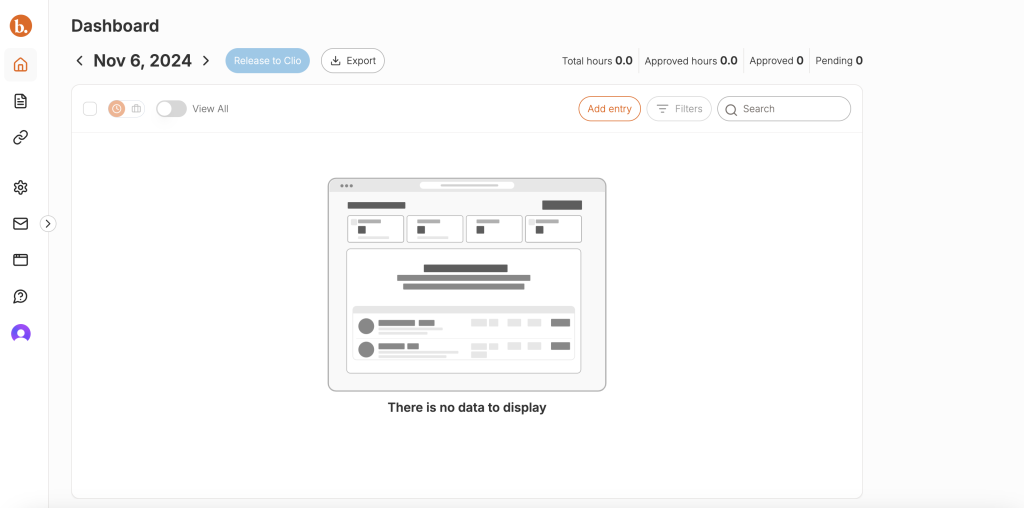
A quick trip to the Integrations page shows you about how Billables.ai is able to intelligently track your time. Here is where Billables.ai connects to your billing software as well as the programs most attorneys use to generate work product that they need to track. In my case I connected by Billables.ai instance to my practice management platform, Clio. Once that was done, it was an easy matter of authorizing the applications I use to be tracked by Billables.ai. These are the most common tools attorneys use (with more integrations on the way).
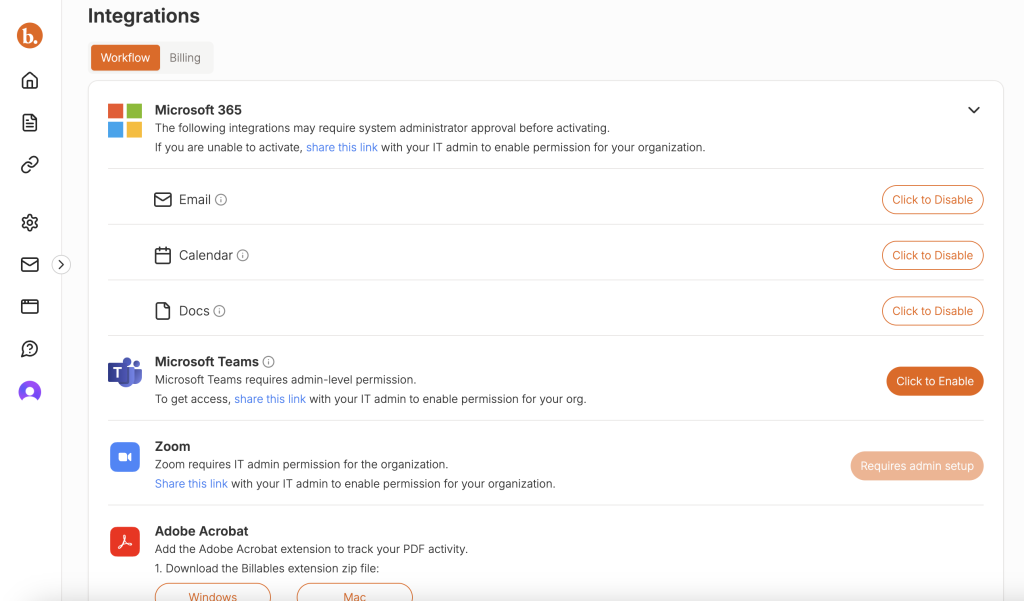
After several minutes I was then able to check my Billing Codes tab to verify that the Matters I have populated in Clio (just like how you have your matters populated in whichever practice management or billing system you use) were synced to Billables.ai. Without this sync, you can’t see the magic of the product. I redacted client and matter names here as you can see – though I wish I did not have to since what you will notice when you use the product is that Billables.ai’s artificial intelligence matches time entries to matters extremely well.
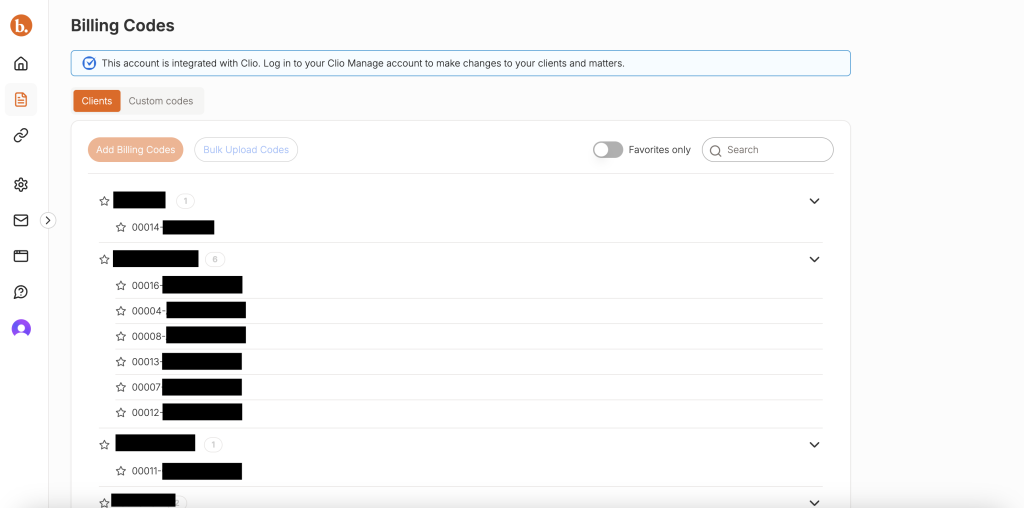
After the sync I got to work just doing what I normally do in a day: drafting in Word, checking e-mails in Outlook, legal research on the web, video conferencing, etc. Billables.ai periodically syncs with the programs you authorize it to connect with. That means Billables.ai generates entries while you work so the you can see them throughout the day if you so choose. Or better yet, just work on your tasks without distraction and when you do eventually visit your Dashboard to look back on a day, you can see time entries for the work you performed automatically generated for you.
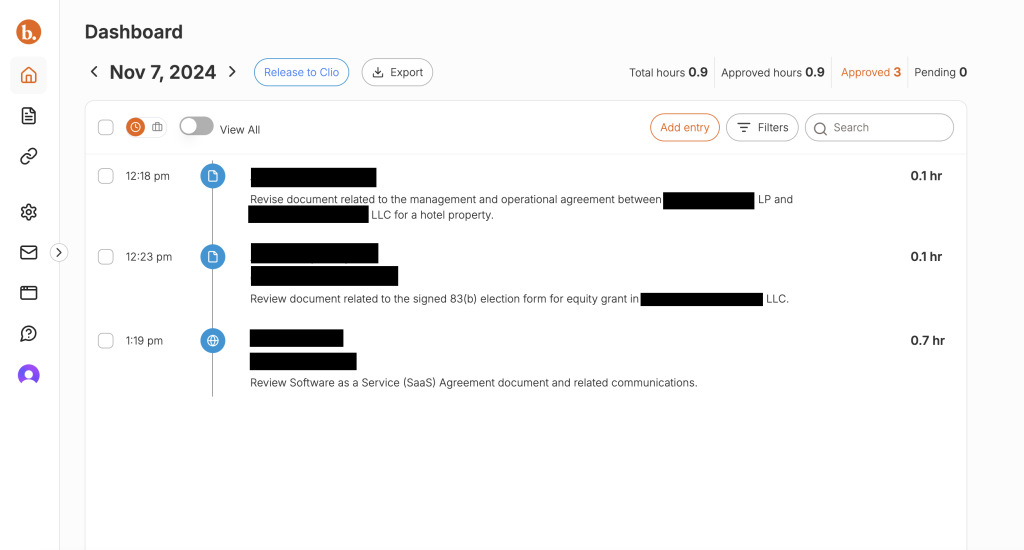
Above you can see a couple of time entries from Word, as well as a review I did of a document via web browser. Billables.ai did not just track time I spent in Word or in the browser, but it tracked activity in those products so that it could be as accurate as possible and it matched work performed to matters in Clio. How do I know? Well, there is a toggle for you to look at “hidden” entries. For example, there was another day where none of my activity was attributable to clients in Clio. I toggled to those time entries to verify and you can see how without a match, the system will not generate a time entry.

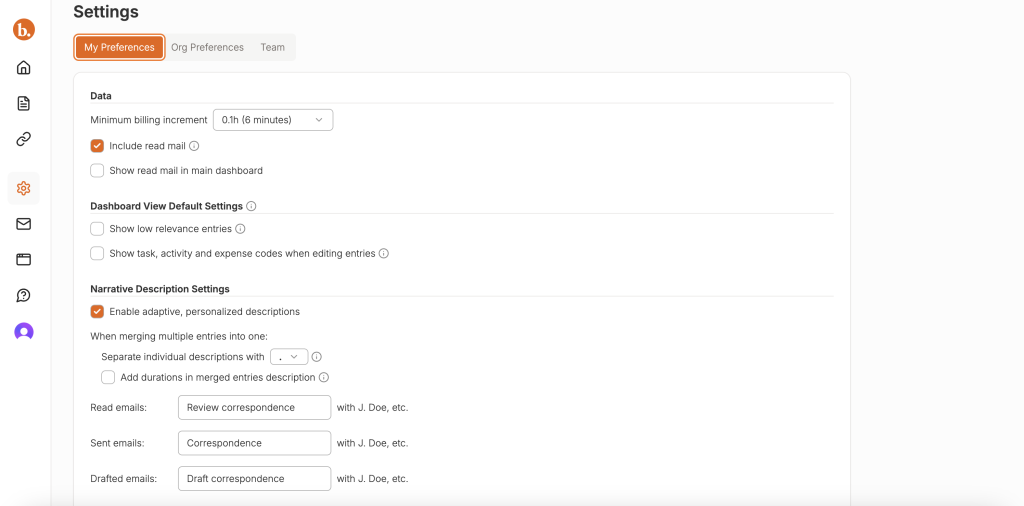
Each day you can go into your Billables.ai Dashboard to verify the entries. Or, if you are the type of biller who waits till the end of the week or end of the month to enter time (tisk, tisk) you can wait and let it pile up (oh my god, I get anxious just typing that 😂). The team at Billables.ai trains its product to create time entries that pass law firm billing muster. And better yet, the longer you use Billables.ai, the more precise it gets. This is where the Settings tab can be helpful. Navigating there will allow you to have more control over the language the system uses to populate your time entries.
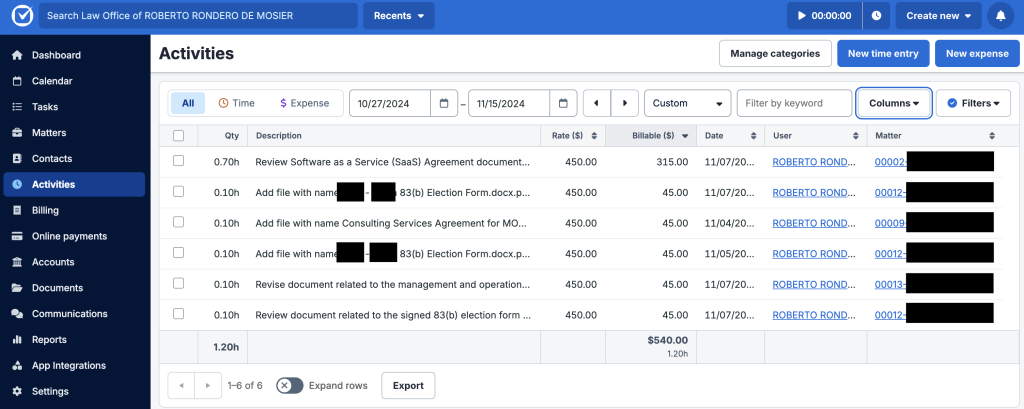
And what is the final result? Well, after a once over of your time entries in Billables.ai, you can easily click to release your time entries to Clio or your practice management / billing platform of choice. And then you will see your time entries populated in your platform, ready to be generated onto a client bill.
Whether you enter your time yourself, or have the help of an assistant or paralegal, the A.I. Billables.ai employs saves you administrative time and will invariably capture more time, more accurately, that you can yourself.
As I have previously mentioned, estimates show that lawyers spend fifteen to thirty minutes each day making notes and preparing time entries, a task they view as unproductive since it cuts into their billable hours. This leads to significant potential revenue loss in the form of “time leakage,” where a lawyer works intensely for several hours but may lose roughly 10%-15% of billable time they neglected to track.
Given that time entry for attorneys is already a chore, using A.I. to make the process less cumbersome is a no brainer. I like how Billables.ai has taken the path of only tracking time in the software platforms you give it access to. So if you want to only authorize your Office suite and forgo the web browser tracking, that’s fine. It’s entirely up to you.
Since Billables.ai relies on integration with billing software, they are taking a methodical approach to market expansion. I tested its use with Clio and they have plans to add more platforms to integrate with over time. Be sure to check with them to see if they sync with your system of choice.
Pricing & Plans
Billables.ai offers scalable plans to cater to firms of different sizes. As a newer and very well backed entrant into the automated time tracking space, they have yet to publish a fixed pricing model. When I met them this year at ClioCon they were advertising less than $99 per user. And I know what you might be saying: “Why pay for A.I. time tracking on top of my existing practice management and billing tools?” I will tell you exactly why: You are missing time entries, and thus losing out on revenue. Consider this: If you bill at $250/hr and over the course of a month Billables.ai picks up a .2 of e-mail drafting, a .2 of a web search for the opposing party’s address, or a .1 for the extra 5 minutes you spent on a conference call that went over the calendared 30 minutes, then you just added $125 to your billings that you would have missed and that more than make up for the monthly cost of an A.I. powered time tracking solution. And this assumes that the .5 hours identified is all you pick up. I bet that what I described above is AT LEAST a weekly, if not daily occurrence. The cost of A.I. tracking software may not be negligible, but if the tool delivers on its promise to boost billable recovery by even a small margin, it quickly pays for itself. But the best part of Billables.ai is that you can test drive if FOR FREE for 30 days. And I have to be honest, I have yet to see ANY A.I. powered product offering a 30 day trial. It’s absolutely worth trying over the course of a month to see if it’s the right fit for you.
What Makes It A.I. Enabled?
At its core, Billables.ai uses machine learning to analyze user behavior and suggest billable entries. The A.I. engine identifies potential gaps in time entries and cross-references these with your digital footprint—emails, meetings, and document edits—to ensure comprehensive coverage. It’s also equipped to recognize patterns, learning over time to improve its suggestions and tailor its functionality to your practice style. Unlike static billing systems, Billables.ai actively adapts to you, making it a genuine A.I.-powered ally.
Security & Privacy
In a profession where client confidentiality is non-negotiable, Billables.ai shines. The platform encrypts all data both in transit and at rest, adhering to industry standards for data protection. Importantly, user data is not leveraged to train any shared machine learning models, which ensures compliance with ethical rules surrounding client information. This attention to privacy is essential to our legal community’s unique needs.
The Judgement
Billables.ai is more than just timekeeping software; it’s a revenue-recovery engine designed to make sure your hard work translates into hard cash. The A.I.-driven insights and automation reduce administrative burdens, allowing you to focus on high-value tasks. The potential ROI in recaptured billable hours is extremely compelling. If your firm struggles with time leakage, inefficient time entry practices or billing workflows, Billables.ai could be the upgrade your practice needs.
Feedback
I’ve reserved a special space each week for you to vent, supplement with relevant info, or ask questions about the product. The only way the content gets better is if you participate. I look forward to hearing from you! You can e-mail me at rc@sabersolutions.co.